50-day return policy⌄
- Return within 50 days of purchase.
- Full refund for unopened, sealed, unactivated items.
- Opened products may still qualify if unused.
- For orders over £100, we can arrange your return via DPD or in-person drop-off.
Next-day delivery — order before 3pm⌄
- Order before 3pm Mon–Fri for next-working-day delivery (free over £99).
- UK Saturday delivery available on orders placed before 3pm Friday.
- After 3pm Friday — dispatched Monday.
- Some UK regions may need 2–3 working days.
Discounted options with main purchase⌄
- Bundle pricing on accessories, spares and training when bought together.
- Reduced rates on add-ons selected at checkout.
- Ask us for a tailored quote on multi-unit or fleet orders.
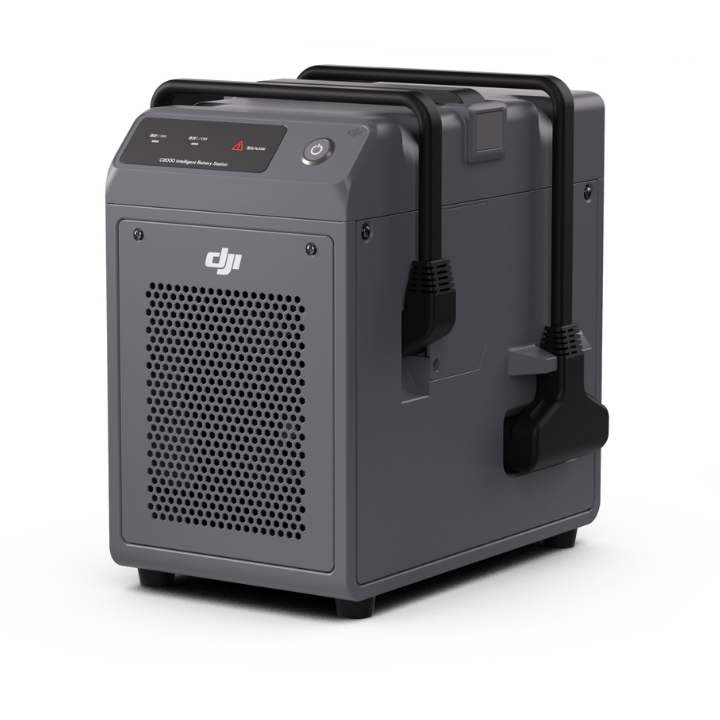
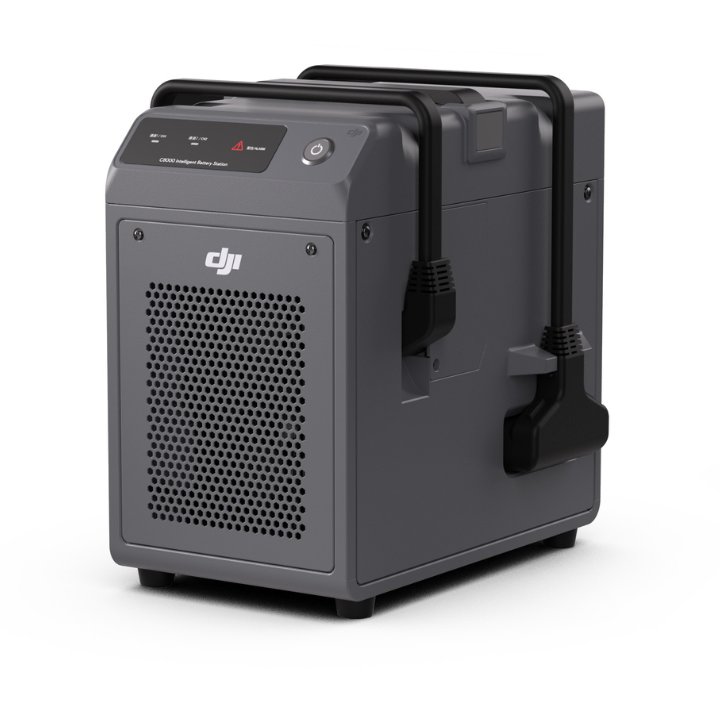
DJI C8000 Intelligent Battery Station
The DJI C8000 Intelligent Battery Station charges the DB2000 Intelligent Flight Batteries for the DJI FlyCart 30 delivery drone.
Product dossier
0% to 90% Charge in 26 Minutes
DJI C8000 Intelligent Battery Station
- Dual Charging Capability:
Charge up to two DJI DB2000 Intelligent Flight Batteries simultaneously.
- Rapid Charging:
Charge a single battery from 0% to 98% in just 26 minutes and dual batteries in 36 minutes.
- High Power Output:
Supports a maximum charging power of up to 7200W, adaptable to standard generators.
- Consistent Operation:
Continues charging even with compromised ventilation for uninterrupted operation.
- Real-Time Monitoring:
Features intuitive status LEDs and a warning indicator on the operation panel for real-time error detection.
- Comprehensive Protection:
Includes overcurrent, overcharging, undervoltage, and overheating protection to ensure safe operation.
Full specifications
Manuals & documents
Frequently asked questions
How do I activate the DJI C8000 Intelligent Battery Station using the app?⌄
The battery station requires activation before use. If the warning indicator is solid green, the battery station has not been activated. Follow these steps to activate it:
1. Connect Power: Plug the battery station into a power outlet.
2. Link to Remote Controller: Connect the battery station to the remote controller's USB-A port using a USB-C cable.
3. Power On: Press the power button to turn on the battery station.
4. Complete Activation: Open the aircraft-compatible app and follow the prompts to finish activation.
How do I connect the DJI C8000 Intelligent Battery Station to the remote?⌄
Connect the DJI C8000 Intelligent Battery Station to the remote by following these steps:
1. Connect: Plug the battery station into a power outlet and link it to the remote controller using a USB-C cable.
2. Power On: Turn on the remote controller and press the battery station's power button.
3. Update Firmware: Open the aircraft-compatible app and follow the prompts to update the firmware, ensuring the remote controller stays connected to the internet during the process.
Common questions
- How do I connect the DJI C8000 Intelligent Battery Station to the remote?
- How do I activate the DJI C8000 Intelligent Battery Station using the app?