
50-day return policy⌄
- Return within 50 days of purchase.
- Full refund for unopened, sealed, unactivated items.
- Opened products may still qualify if unused.
- For orders over £100, we can arrange your return via DPD or in-person drop-off.
Next-day delivery — order before 3pm⌄
- Order before 3pm Mon–Fri for next-working-day delivery (free over £99).
- UK Saturday delivery available on orders placed before 3pm Friday.
- After 3pm Friday — dispatched Monday.
- Some UK regions may need 2–3 working days.
Discounted options with main purchase⌄
- Bundle pricing on accessories, spares and training when bought together.
- Reduced rates on add-ons selected at checkout.
- Ask us for a tailored quote on multi-unit or fleet orders.
DJI DL 18mm F2.8 Lens
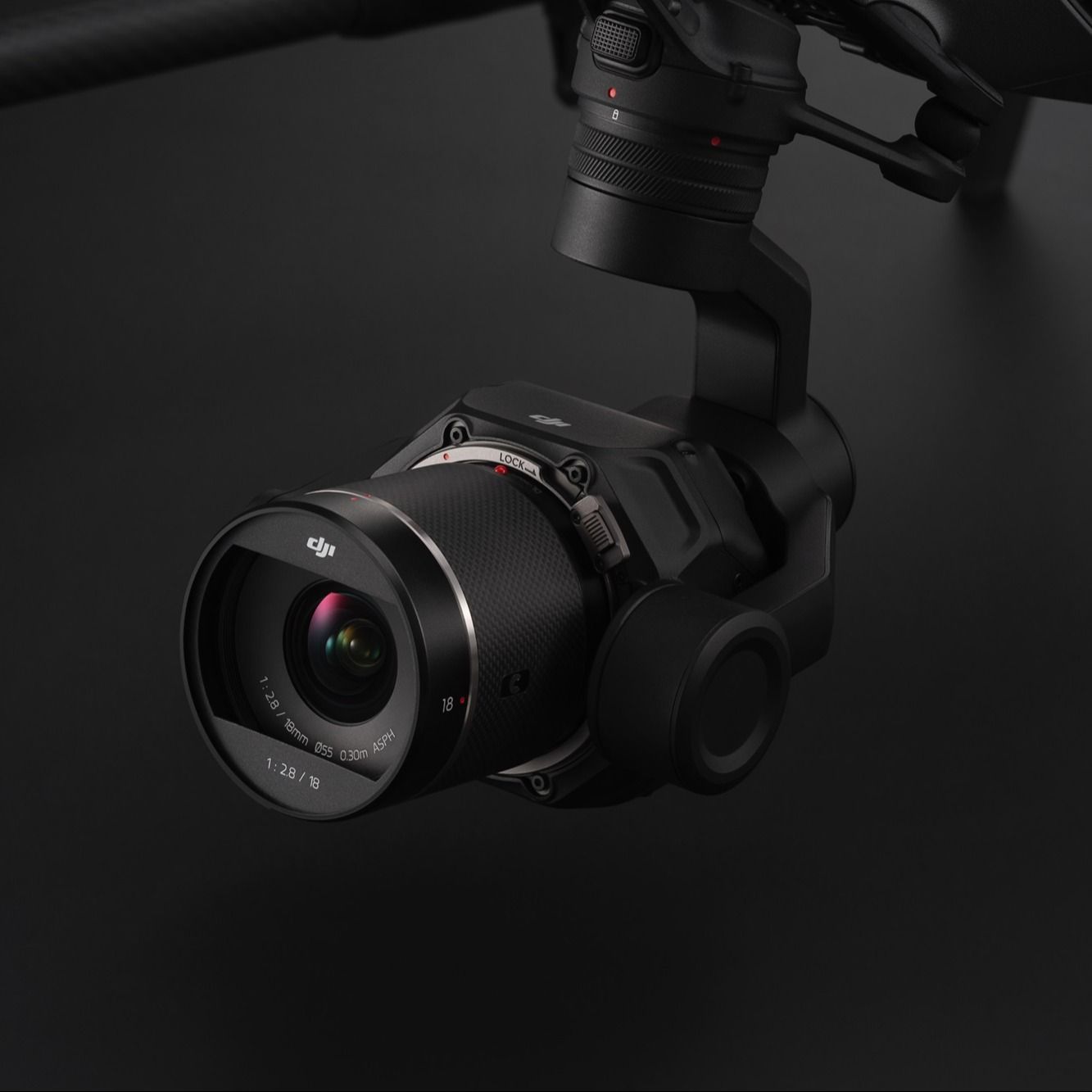
The DL 18 mm F2.8 ASPH lens is designed for 8K aerial cinematography with the Zenmuse X9-8K Air. It offers high sharpness and minimal chromatic aberration for detailed, true-to-life images, the lightweight carbon fibre housing enhances manoeuvrability and makes it ideal for DJI Inspire 3.
The dossier
DJI DL 18mm F2.8 Lens
Key Features
- Optimised for 8K Cinematography:
Specially designed for 8K aerial filming, providing high-resolution imagery with the Zenmuse X9-8K Air gimbal camera.
- Wide-Angle Precision:
The 18 mm focal length captures expansive scenes, adding depth and visual tension, ideal for dynamic aerial shots.
- Superior Image Clarity
: This lens offers outstanding detail resolution and minimal chromatic aberration, ensuring rich details and accurate colours in every shot.
- Construction:
Built with a monocoque carbon fibre housing, balancing strength and lightweight design to meet the DJI Inspire 3's manoeuvrability needs.
- Seamless Integration:
Natively compatible with the DL mount, facilitating easy installation and secure fitting.
Full specifications
Manuals & documents
Frequently asked questions
How do I attach the DJI DL 18mm F2.8 Lens to my aircraft?⌄
Follow these steps to attach your DJI DL 18mm F2.8 Lens to your aircraft. Toggle the lens locking lever to the unlocked position, then press and hold the lens release button while rotating the camera body cap to detach it. Remove the lens cap and rear cap. Align the red dots on the camera and lens, then insert the lens into the camera body. Rotate the lens clockwise until you hear a click, and then rotate it counter-clockwise to ensure it's firmly attached. Toggle the lens locking lever to cover the orange line on the camera until secure. Note: Installation steps may vary by product model; consult the user manual for specific instructions.