50-day return policy⌄
- Return within 50 days of purchase.
- Full refund for unopened, sealed, unactivated items.
- Opened products may still qualify if unused.
- For orders over £100, we can arrange your return via DPD or in-person drop-off.
Next-day delivery — order before 3pm⌄
- Order before 3pm Mon–Fri for next-working-day delivery (free over £99).
- UK Saturday delivery available on orders placed before 3pm Friday.
- After 3pm Friday — dispatched Monday.
- Some UK regions may need 2–3 working days.
Discounted options with main purchase⌄
- Bundle pricing on accessories, spares and training when bought together.
- Reduced rates on add-ons selected at checkout.
- Ask us for a tailored quote on multi-unit or fleet orders.
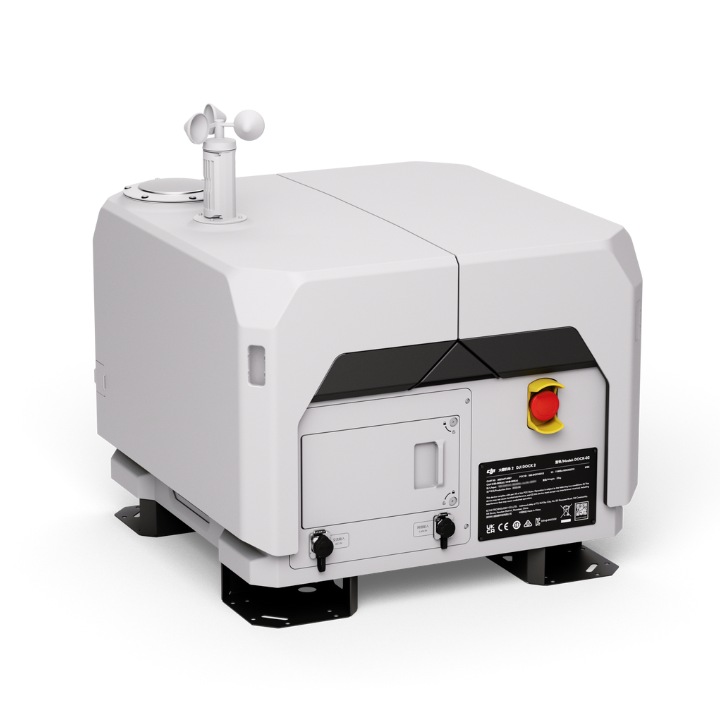
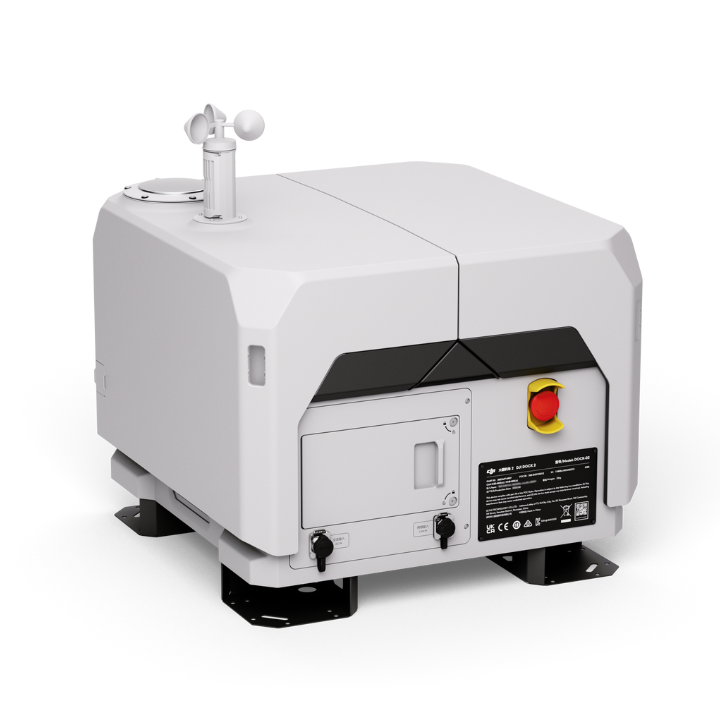
DJI Dock 2 (Dock Only)
DJI Dock 2 is a compact, all-weather drone-in-a-box for remote automated operations across mapping, public safety, security and inspection. This dock-only package provides the dock and wind speed gauge module, ready to pair with a compatible DJI M3D Series aircraft.
heliguy support & optional extras
Product dossier
Compatible Drones
DJI Dock 2
Matrice 3D: Integrated wide-angle camera and tele camera. Suitable for mapping.
Matrice 3TD: Integrated wide-angle camera, tele camera, and infrared camera. Suitable for security and inspection.
IP54 dust and water-resistant.
50 minutes maximum flight time and 10km operating radius.
Six-directional obstacle sensing.
400 battery cycles.
Full specifications
Manuals & documents
Frequently asked questions
How does DJI Dock 2 handle unexpected power outages?⌄
In the event of an unexpected power outage, DJI Dock 2 can operate independently for over five hours using its built-in backup battery,* allowing ample time for the aircraft to return and land safely. However, after a power outage, certain functions, such as aircraft charging, air conditioning, dock cover heating, and wind speed gauge heating, are not supported by DJI Dock 2. We advise you to address any malfunctions promptly.
*The duration is measured with a fully charged backup battery in a 25°C (77°F) environment.
How is the precision landing of DJI Dock 2 achieved?⌄
DJI Dock 2 achieves precision landing using the aircraft’s RTK positioning and marker recognition. A new slide-ramp centring design on the landing pad further improves landing accuracy and success rates.
Which drones does the DJI Dock 2 support? ⌄
The DJI Dock 2 only supports the DJI Matrice 3D series drones, the M3D and M3TD.
What are the installation environment requirements for DJI Dock 2?⌄
DJI Dock 2 should be installed in an open environment with access to electricity and the internet at altitudes not exceeding 4,000 meters. For further specifications, please consult the Installation and Setup Manual.
Common questions
- What is the difference between DJI Dock 2 and DJI Dock?
- What is the difference between DJI Dock 3 and DJI Dock 2?
- Does DJI Dock 2 support edge computing?
- Which drones does the DJI Dock 2 support?
- Does DJI Dock 2 support one drone with multiple docks and one dock with multiple drones?
- How does DJI Dock 2 handle unexpected power outages?