50-day return policy⌄
- Return within 50 days of purchase.
- Full refund for unopened, sealed, unactivated items.
- Opened products may still qualify if unused.
- For orders over £100, we can arrange your return via DPD or in-person drop-off.
Next-day delivery — order before 3pm⌄
- Order before 3pm Mon–Fri for next-working-day delivery (free over £99).
- UK Saturday delivery available on orders placed before 3pm Friday.
- After 3pm Friday — dispatched Monday.
- Some UK regions may need 2–3 working days.
Discounted options with main purchase⌄
- Bundle pricing on accessories, spares and training when bought together.
- Reduced rates on add-ons selected at checkout.
- Ask us for a tailored quote on multi-unit or fleet orders.
DJI Mic Mini (1TX + 1RX)
A lightweight wireless microphone system that offers professional audio and up to 48 hours of battery life.
Product dossier
Efficient power-saving features and stable, long-range transmission for seamless audio recording.
Smart Power Management & Reliable Connectivity
- Small and Ultralight:
The DJI Mic Mini Transmitter weighs just 10g, offering a comfortable and discreet wearing experience.
- Multiple attachment options:
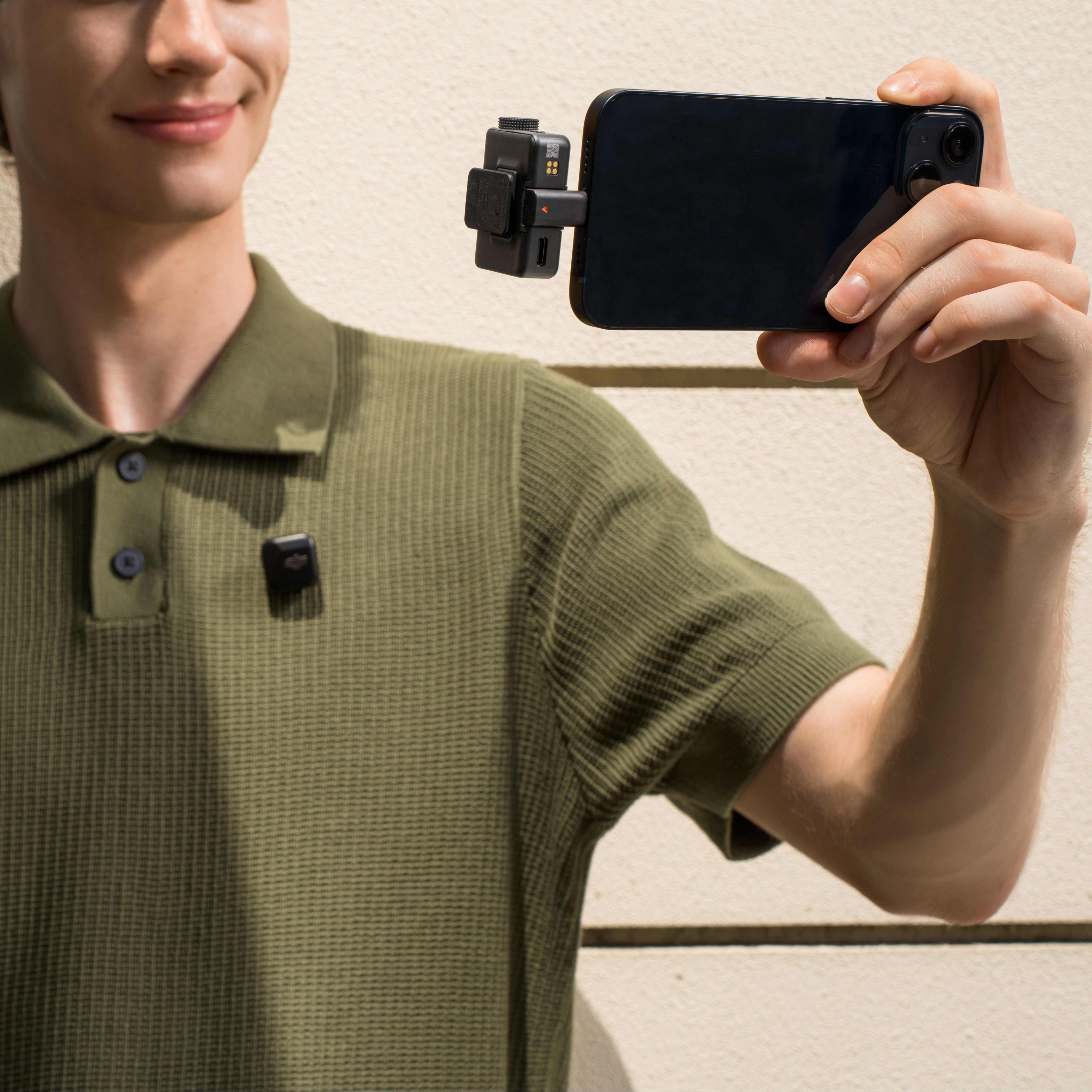
Take your pick of a clip-on, magnetic attachment, or lanyard, and it will stay securely attached without flipping outward for a neat on-camera appearance.
- All-in-One, Portable Design:
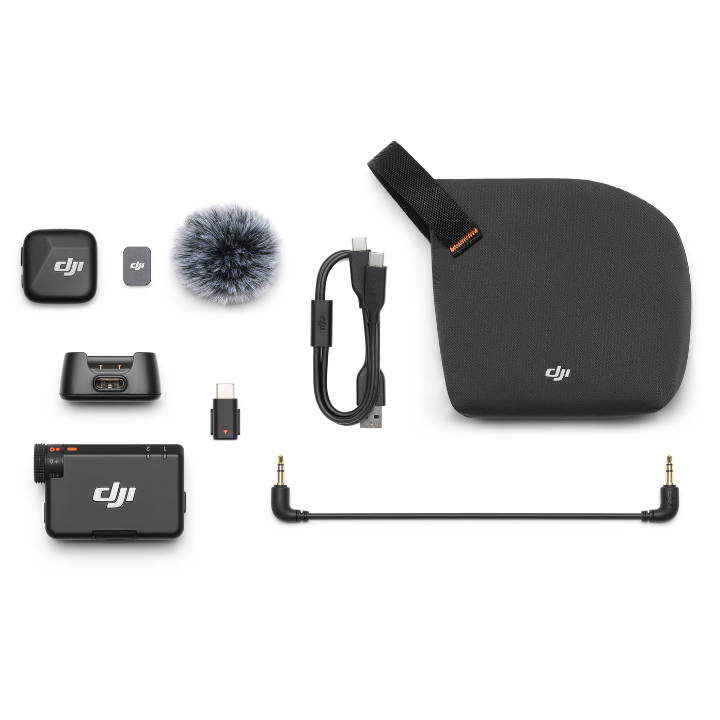
The compact charging case securely stores two transmitters, one receiver, mobile phone adapters, and windscreens—allowing windscreens to stay attached for added convenience.
- Omnidirectional Audio Recording
: Captures rich, detailed sound from multiple sources with dual transmitter support for high-quality audio.
- Two Noise Cancellation Levels
: The Basic level is ideal for quiet indoor settings, reducing fan and reverb noises while preserving vocal clarity, and the Strong level excels in noisy environments, significantly reducing ambient sounds for clearer vocals.
- 5-Minute Quick Charge:
Just five minutes of charging provides about one hour of use for both the receiver and transmitter, significantly enhancing charging efficiency.
Full specifications
Manuals & documents
Frequently asked questions
Is there a key feature comparison table for the DJI Mic Mini, DJI Mic 2, and DJI Mic to see how they compare to each other?⌄
The table below shows the difference between DJI Mic Mini, DJI Mic 2, and DJI Mic.
| DJI Mic Mini | DJI Mic 2 | DJI Mic | |
|---|---|---|---|
| Transmitter Weight | 10 g | 28 g | 30 g |
| Noise Cancelling | Two-level noise cancelling | Intelligent noise cancelling | No active noise cancelling |
| Audio Clipping | Supported: Automatic Limiting to Prevent Audio Clipping | Not Supported: Automatic Limiting to Prevent Audio Clipping | Not Supported: Automatic Limiting to Prevent Audio Clipping |
| Total Operating Time | 48 hrs | 18 hrs | 15 hrs |
| Transmitter Compatibility with DJI Ecosystem | Directly connect to Osmo Action 5 Pro, Osmo Action 4, or Osmo Pocket 3 via DJI OsmoAudio™ | Directly connect to Osmo Action 5 Pro, Osmo Action 4, or Osmo Pocket 3 via DJI OsmoAudio™ | / |
| Receiver with Smartphone | Both Lightning and USB-C adapters support digital audio and playback without unplugging the receiver; direct Bluetooth connection with smartphone | Both Lightning and USB-C adapters support digital audio and playback without unplugging the receiver; direct Bluetooth connection with smartphone | Lightning (analog) or USB-C (digital audio supports Stereo) adapter |
| Receiver with Computer | USB-C | USB-C | USB-C |
| Interaction | Dial + buttons | 1.1-inch touchscreen + dial | 0.95-inch touchscreen |
| Compatible Accessories | / | DJI Lavalier Mic and Camera Adapter | DJI Lavalier Mic |
What can I use DJI Mic Mini with?⌄
DJI Mic Mini can be used with a wide range of devices, including cameras, smartphones*, computers, and Osmo Mobile 6**. This Mic supports the DJI OsmoAudio™ connection ecosystem, and the transmitter supports direct Bluetooth connection to Osmo Action 5 Pro, Osmo Action 4, or Osmo Pocket 3 without a receiver.
This delivers premium audio and simplifies your gear and workflow.
*Via Type-C/Lightning adapter or via direct Bluetooth connection.
**Requires a smartphone for use.
What are the differences between different DJI Mic Mini combos? How should I choose which one is right for me?⌄
• DJI Mic Mini (2 TX + 1 RX + Charging Case): Includes a charging case, one receiver, and two Infinity Black transmitters. It provides extended battery life and is suitable for two-person audio recording.
• DJI Mic Mini (1 TX + 1 RX): Includes one receiver and one Infinity Black transmitter, suitable for solo creators and other single-person audio recording scenarios.
• DJI Mic Mini Transmitter (Arctic White) and DJI Mic Mini Transmitter (Infinity Black): Can be used with mobile phones, Osmo Action 5 Pro, Osmo Action 4, or Osmo Pocket 3.
Do I need to activate DJI Mic Mini?⌄
DJI Mic Mini is ready to use without activation. You can scan the QR code on the package to register for a one-year warranty extension.
How do I update the firmware of the DJI Mic Mini transmitters and receiver?⌄
Connect the DJI Mic Mini receiver to a phone via a Type-C adapter and update the receiver and transmitters' firmware in the DJI Mimo app. A DJI Mic Mini transmitter can connect directly to a phone via Bluetooth to complete its firmware update. When using an iOS mobile device, DJI Mic Mini firmware updates are only supported via Bluetooth, not via USB-C or Lightning connection.
How do I link DJI Mic Mini's transmitters with the receiver?⌄
The transmitters and receiver are already linked by default. If you need to link them again, you can do so in the following ways:
• Method 1: Put the transmitters and receiver inside the charging case, and they will link automatically.
• Method 2: Power on the transmitters and the receiver. Press and hold the linking buttons on the transmitters and the receiver. When the status indicator on the transmitter blinks green and blue alternately, it indicates that linking is in progress. When the status indicator turns solid blue, linking is complete, and to end linking during the process, power off the devices.
How many recording modes does DJI Mic Mini have?⌄
DJI Mic Mini has three recording modes: S (Stereo), M (Mono), and Ms (Mono Safety Track).
1. S: Stereo mode. Audio from the two transmitters is recorded via separate channels.
2. M: Mono mode. In Mono mode, the audio recorded by the two transmitters will be combined into one channel.
3. Ms: Mono with Safety Track mode. DJI Mic Mini will record dual tracks, with the main track at normal volume and a backup track at -6 dB to protect against distortion in cases of sudden source volume increases. *
*If you use Ms (Mono Safety Track) mode, you will need to separate the tracks during post-production.
What functions does the DJI Mic Mini Charging Case provide?⌄
The DJI Mic Mini Charging Case can be used to link the transmitters with the receiver and store the transmitters, the receiver, and mobile phone adapters (Type-C and Lightning). When fully charged, it can charge two transmitters and one receiver approx. 3.6 times.
*The DJI Mic Mini Mobile Phone Adapter (Lightning) is sold separately.
Common questions
- How do I connect Osmo Pocket 4 to DJI Mic 3/Mic 2/Mic Mini?
- Does Osmo Pocket 4 support connection to two DJI Mic 3/Mic 2/Mic Mini transmitters?
- What can I use DJI Mic Mini with?
- Do I need to activate DJI Mic Mini?
- How many recording modes does DJI Mic Mini have?
- Where can I mount the DJI Mic Mini transmitter?