50-day return policy⌄
- Return within 50 days of purchase.
- Full refund for unopened, sealed, unactivated items.
- Opened products may still qualify if unused.
- For orders over £100, we can arrange your return via DPD or in-person drop-off.
Next-day delivery — order before 3pm⌄
- Order before 3pm Mon–Fri for next-working-day delivery (free over £99).
- UK Saturday delivery available on orders placed before 3pm Friday.
- After 3pm Friday — dispatched Monday.
- Some UK regions may need 2–3 working days.
Discounted options with main purchase⌄
- Bundle pricing on accessories, spares and training when bought together.
- Reduced rates on add-ons selected at checkout.
- Ask us for a tailored quote on multi-unit or fleet orders.
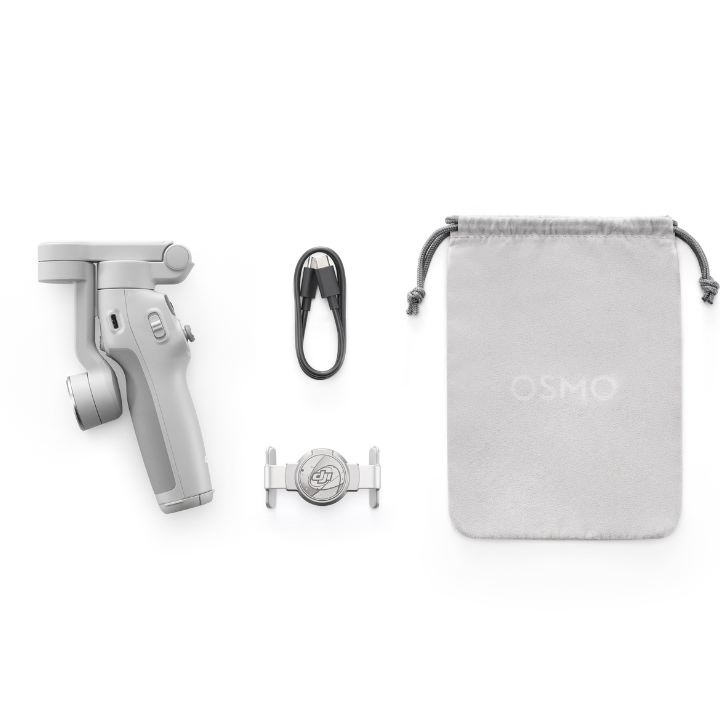
DJI Osmo Mobile 7
Lightweight, portable gimbal with 3-axis stabilisation, ActiveTrack 7.0, built-in tripod, and foldable design for smooth shots.
Product dossier
Lightweight, portable, and packed with advanced features for stunning smartphone footage.
Capture Smooth, Cinematic Moments
- 7th-Generation Stabilisation:
Reliable 3-axis stabilisation for smooth, shake-free video.
- ActiveTrack 7.0 Technology:
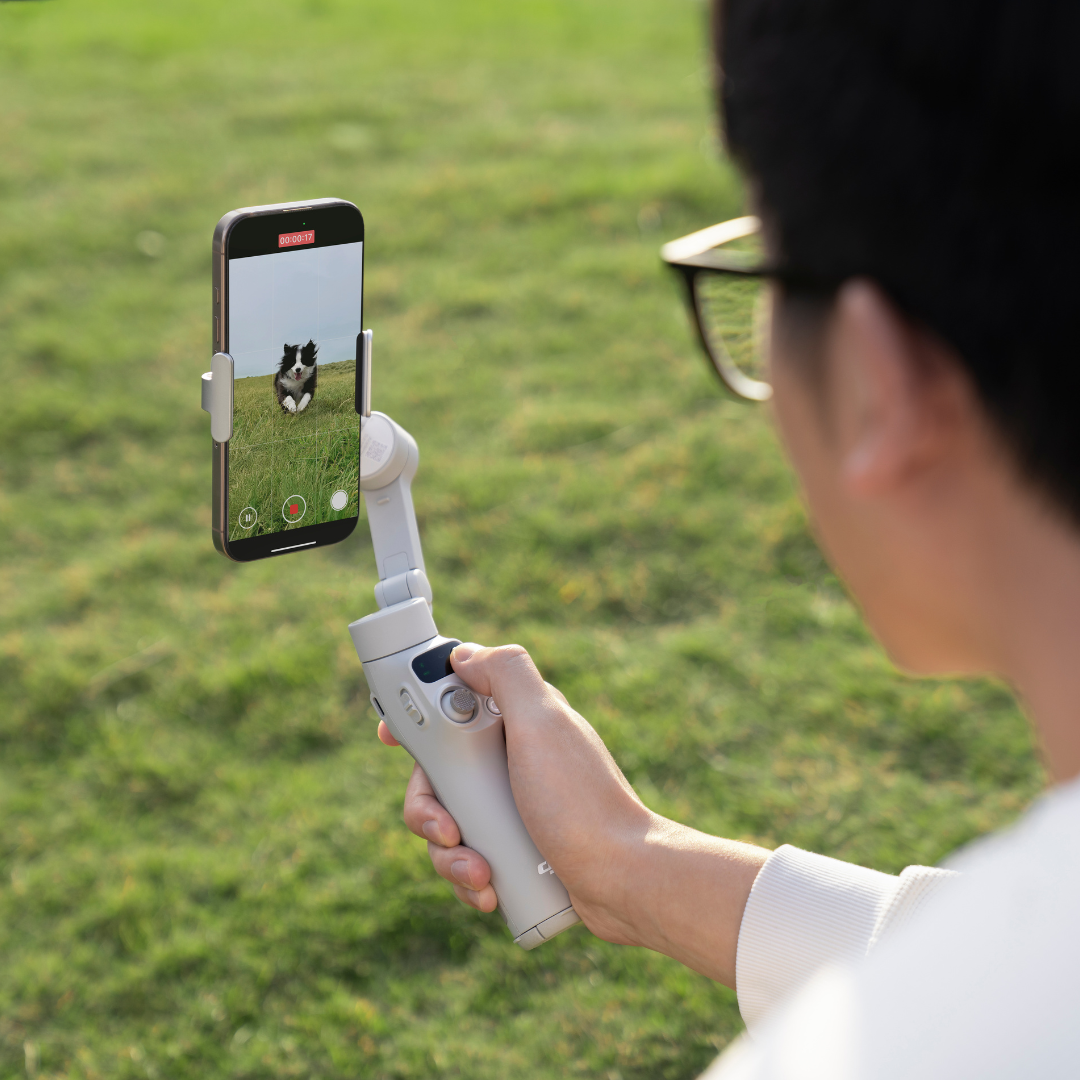
Keeps your subject centred and in focus, even on the move.
- Intuitive Operation:
Simple tutorials, one-tap editing, and quick-fold design ensure you’re always ready to film.
- Built-in Extension Rod and Tripod:
Flexible options for creative angles and stable shooting.
- All-Day Battery Life:
Up to 10 hours of power, with phone charging to keep you going.
Full specifications
Manuals & documents
Frequently asked questions
How does the Osmo Mobile 7 improve on the Osmo Mobile 6?⌄
The Osmo Mobile 7 introduces several upgrades for enhanced functionality and convenience:
• Offers an optional Multifunctional Module with intelligent tracking, DJI Mic Mini support, and built-in lighting.
• Features an integrated tripod for more stable and flexible shooting.
• Enables quick setup, unfolding in one motion for instant filming and automatically returning to a pre-folded position after powering off for easy storage.
• Works with the Multifunctional Module for intelligent tracking, even with third-party camera and live-streaming apps.
• Provides up to 10 hours of battery life* and supports smartphone charging.
• Features an enhanced magnetic phone clamp for a more secure hold, even with larger smartphones.
• Battery life measured with the gimbal balanced in a stationary state without additional accessories.
Which smartphones are compatible with the Osmo Mobile 7 Series?⌄
The Osmo Mobile 7 Series supports most smartphones currently available. For optimal compatibility, use a device with:
• Width: 67-84 mm
• Thickness: 6.9-10 mm
• Weight: 170-300 g
How strong is the magnetic force of the Osmo Mobile 7 Series?⌄
The Osmo Mobile 7 Series has a magnetic force of approximately 40 Newtons, strong enough to securely hold a smartphone. This is equivalent to supporting the weight of two 2-litre soda bottles, ensuring a stable and reliable attachment.
Will the gimbal appear in the camera view when using a wide-angle camera with my smartphone?⌄
In some cases, the gimbal may appear in the camera view when using a wide-angle lens, especially with certain smartphone sizes and layouts.
To fix this, try adjusting the magnetic phone clamp by moving it slightly away from the camera until the gimbal is no longer visible in the frame.
How do I activate tracking with the gimbal?⌄
There are five ways to activate tracking, depending on the app and accessories used:
• Multifunctional Module + Other Camera Apps:* Press the trigger or use a specific hand gesture to start intelligent tracking.
• DJI Mimo Only: Press the trigger to initiate ActiveTrack.
• DJI Mimo Only: Enable Smart Capture and tap a detection box in the camera view to start ActiveTrack.
• DJI Mimo Only: Draw a box around your subject on the screen to initiate ActiveTrack.
• DJI Mimo Only: Enable Gesture Control and use a designated gesture to activate ActiveTrack.
• *The Osmo Mobile 7P includes the Multifunctional Module. Osmo Mobile 7 users need to purchase the DJI OM 7 Series Tracking Kit separately to access these features.
Is the DJI OM 7 Series waterprrof?⌄
No, the DJI OM 7 Series is not waterproof.
What improvements does ActiveTrack 7.0 have compared with the previous version?⌄
ActiveTrack 7.0 introduces major enhancements for more reliable and precise tracking:
1. Better Composition: Locks onto the subject using the default centre position or a user-defined composition for more control.
2. Stable Tracking: In multi-person scenarios, if the subject briefly exits the frame, it quickly and accurately re-acquires them upon re-entry.
3. Smooth Object Tracking: Works seamlessly with people, pets (like cats and dogs), and objects, maintaining smooth tracking as long as their basic appearance remains unchanged.
4. Consistent Focus While Zooming: Supports zoom adjustments during tracking without losing focus on the subject, ensuring fluid and natural results.
5. Smart Multi-Subject Tracking: In multi-subject scenes, the DJI Mimo app displays multiple detection boxes, allowing you to tap to select or switch between subjects easily.
How do I use ShotGuides?⌄
There are two ways to enable ShotGuides:
• Open the DJI Mimo app, switch to Video mode, and point your camera at a subject or scene. The Osmo Mobile 7 Series will automatically analyse the frame and suggest relevant shooting guides. Tap to activate ShotGuides.
Or...
• Open the DJI Mimo app and tap the ShotGuides icon to enter ShotGuides directly.
Common questions
- How does the Osmo Mobile 7 improve on the Osmo Mobile 6?
- What improvements does Osmo Mobile 8 offer compared with Osmo Mobile 7/7P?
- Which smartphones are compatible with the Osmo Mobile 7 Series?
- How strong is the magnetic force of the Osmo Mobile 7 Series?
- DJI OM 7 Series vs OM 6: How do the DJI Osmo Mobile models compare to each other?