50-day return policy⌄
- Return within 50 days of purchase.
- Full refund for unopened, sealed, unactivated items.
- Opened products may still qualify if unused.
- For orders over £100, we can arrange your return via DPD or in-person drop-off.
Next-day delivery — order before 3pm⌄
- Order before 3pm Mon–Fri for next-working-day delivery (free over £99).
- UK Saturday delivery available on orders placed before 3pm Friday.
- After 3pm Friday — dispatched Monday.
- Some UK regions may need 2–3 working days.
Discounted options with main purchase⌄
- Bundle pricing on accessories, spares and training when bought together.
- Reduced rates on add-ons selected at checkout.
- Ask us for a tailored quote on multi-unit or fleet orders.
DJI Osmo Mobile 8
The Osmo Mobile 8 is the flagship phone gimbal with 360° rotation, 3-axis stabilisation, and intelligent tracking for smooth, pro footage.
Product dossier
Capture every moment with precision, smooth motion, and professional control using the Osmo Mobile 8.
Advanced tracking and stabilisation
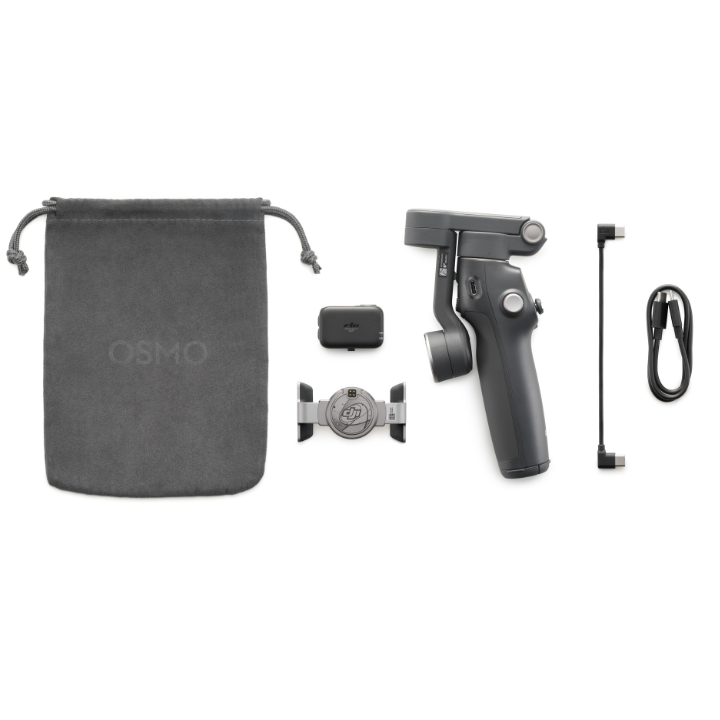
- DJI OM Multifunctional Module:
Combine subject tracking for people and pets with built-in lighting and audio capture for effortless, high-quality results.
- Native tracking with built-in audio and lighting:
Meet the new Multifunctional Module. Enjoy human and pet tracking without the DJI Mimo app, plus integrated audio* capture and lighting for complete creative support. *If your phone uses a Lightning port, you will need to purchase the Phone Charging/Audio Recording Cable (USB-C to Lightning) separately.
- 360° pan rotation and 3-axis stabilisation:
Achieve ultra-smooth, cinematic footage with unrestricted horizontal movement.
- Direct phone connection:
Pair instantly via NFC or Bluetooth for quick setup and seamless performance.
- Built-in extension rod and tripod:
Capture more from every angle and enjoy steady, hands-free filming.
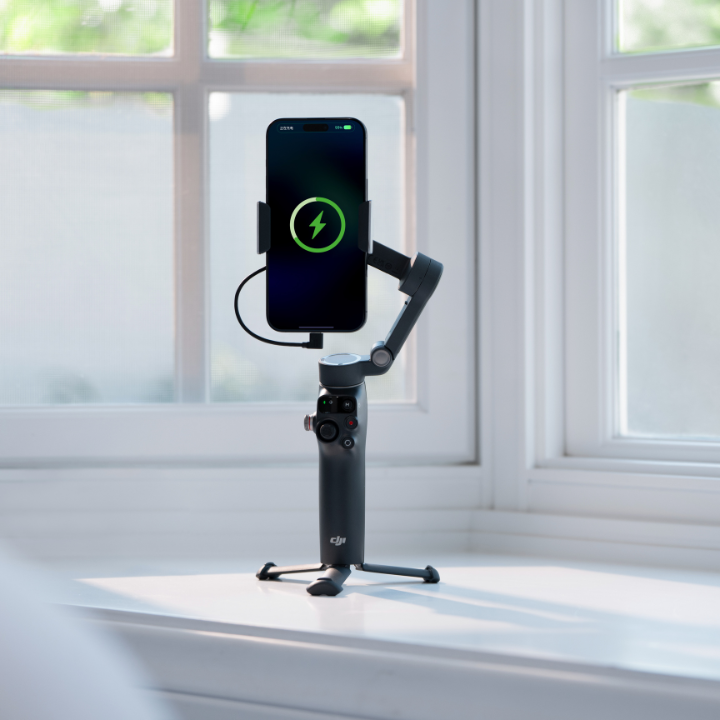
- 10-hour battery life with phone charging:
Record confidently all day while keeping your phone powered on the go.
Full specifications
Manuals & documents
Frequently asked questions
What improvements does Osmo Mobile 8 offer compared with Osmo Mobile 7/7P?⌄
The Osmo Mobile 8 has been upgraded in several areas, including the following:
1. The pan axis supports 360° unlimited rotation, providing greater flexibility for panoramic recording and intelligent tracking.
2. The DJI OM Multifunctional Module now supports pet tracking (cats and dogs only).
3. You can tilt the pan axis forward to capture low-angle shots while holding the gimbal in the standard grip.
4. The gimbal supports direct phone connection* to enable native camera tracking, with a new pan axis function status indicator for real-time tracking feedback. Compatible with Apple DockKit, it provides intelligent tracking in more than 200 iOS applications, covering a wide range of shooting scenarios.
5. The optimised magnetic phone clamp offers a more secure grip on your phone.
6. The roll axis is equipped with an Output Port (USB-C) to charge your phone.
7. The roll axis provides a Counter weight Mounting Hole, allowing you to add counterweights for better balance when using smartphones with large camera lens modules or additional accessories.
Which smartphones are compatible with the Osmo Mobile 8?⌄
The Osmo Mobile 8 is compatible with most smartphones on the market.
It is recommended to use smartphones with a width of 67-84 mm, thickness of 6.9-10 mm, and weight of 170-300 g.
How do I connect the Osmo 8 gimbal to another smartphone?⌄
You can do either of the following: Disconnect the Bluetooth connection with the current smartphone, turn off the Bluetooth of the smartphone, and pair the gimbal with another smartphone. When the gimbal is powered on, press the shutter/record button, switch button, and trigger simultaneously for two seconds to clear the existing connection, and then connect the gimbal to another smartphone.
Common questions
- What improvements does Osmo Mobile 8 offer compared with Osmo Mobile 7/7P?
- Which smartphones are compatible with the Osmo Mobile 8?