50-day return policy⌄
- Return within 50 days of purchase.
- Full refund for unopened, sealed, unactivated items.
- Opened products may still qualify if unused.
- For orders over £100, we can arrange your return via DPD or in-person drop-off.
Next-day delivery — order before 3pm⌄
- Order before 3pm Mon–Fri for next-working-day delivery (free over £99).
- UK Saturday delivery available on orders placed before 3pm Friday.
- After 3pm Friday — dispatched Monday.
- Some UK regions may need 2–3 working days.
Discounted options with main purchase⌄
- Bundle pricing on accessories, spares and training when bought together.
- Reduced rates on add-ons selected at checkout.
- Ask us for a tailored quote on multi-unit or fleet orders.
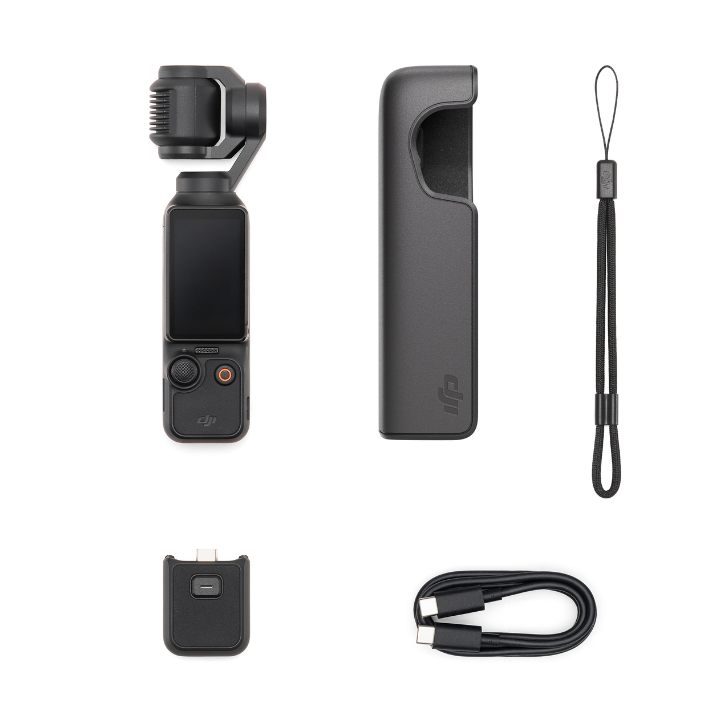
DJI Osmo Pocket 3 Creator Combo
Portable handheld gimbal camera for high-quality content on the go — available standard or as the Creator Combo with the DJI Mic 2 transmitter.
Product dossier
For Fast Moving Moments
DJI Osmo Pocket 3
- Clear Low-Light Detail:
The 1-inch CMOS Sensor captures clear details, even in low-light conditions.
- Smooth and Versatile Content Creation:
4K/120fps super smooth slow motion, night shots mode, and Glamour Effects 2.0.
- Flexible Viewing Options:
The2-inch Rotatable Touchscreen offers vertical and horizontal views for shooting and editing.
- Advanced Colour Grading:
10-bit D-Log M and HLG support for professional-grade colour grading.
- Stable and Smooth Footage:
Full pixel fast focusing and 3-axis gimbal mechanical stabilisation ensure shake-free results.
- Enhanced Tracking:
ActiveTrack 6.0 has multiple follow modes for producing smooth and cinematic content with ease.
Full specifications
Manuals & documents
Customer reviews
“This handheld camera is very stable and I will buy a few more for the rest of my team!”
Frequently asked questions
What is the minimum object distance supported by Osmo Pocket 3?⌄
The minimum object distance of the Osmo Pocket 3 is 20 cm.
Where is the footage saved in Osmo Pocket 3?⌄
Your DJI Osmo Pocket 3 footage is saved to the microSD card inserted into the device.
What to do if I cannot connect to the DJI Mimo or LightCut app?⌄
If you cannot connect to the DJI Mimo or LightCut app, try the following:
1. Ensure Bluetooth and Wi-Fi are enabled on your smartphone.
2. Restart both the Osmo Pocket 3 and the app, then attempt to connect again.
3. Turn off and on your smartphone’s Wi-Fi if the Wi-Fi password has been changed, then try reconnecting.
4. Switch the Osmo Pocket 3 to 2.4GHz Wi-Fi in settings, if your smartphone does not support 5.8GHz Wi-Fi or is in an unsupported area.
Common questions
- Are Osmo Pocket 4 accessories compatible with Osmo Pocket 3?
- What are the main differences between Osmo Pocket 4 and Osmo Pocket 3?
- Is Osmo Pocket 4's 1-inch sensor the same as Osmo Pocket 3?
- Is the DJI Osmo Pocket 3 waterproof?
- What accessories does Osmo Pocket 3 support?
- Are the DJI Osmo Pocket 3 accessories compatible with Pocket 2?