50-day return policy⌄
- Return within 50 days of purchase.
- Full refund for unopened, sealed, unactivated items.
- Opened products may still qualify if unused.
- For orders over £100, we can arrange your return via DPD or in-person drop-off.
Next-day delivery — order before 3pm⌄
- Order before 3pm Mon–Fri for next-working-day delivery (free over £99).
- UK Saturday delivery available on orders placed before 3pm Friday.
- After 3pm Friday — dispatched Monday.
- Some UK regions may need 2–3 working days.
Discounted options with main purchase⌄
- Bundle pricing on accessories, spares and training when bought together.
- Reduced rates on add-ons selected at checkout.
- Ask us for a tailored quote on multi-unit or fleet orders.
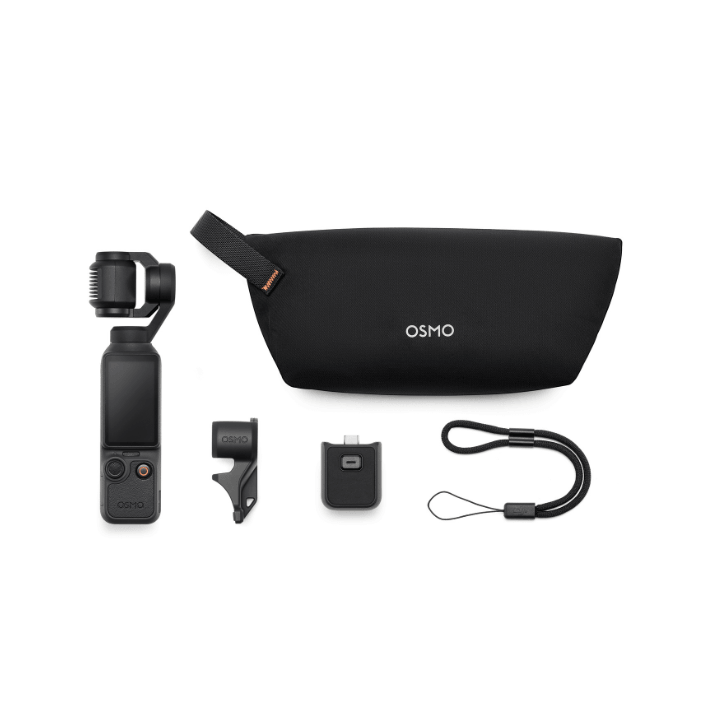
DJI Osmo Pocket 4 Standard Combo
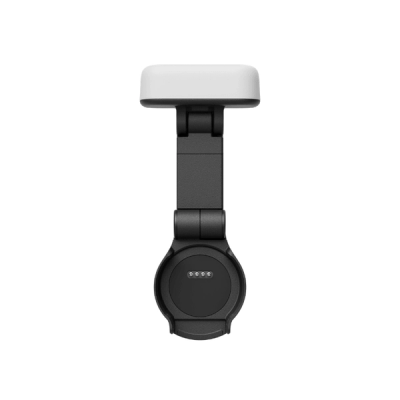
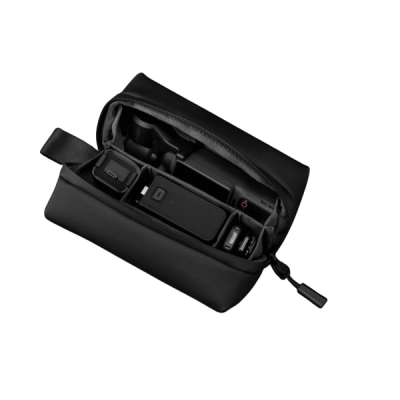
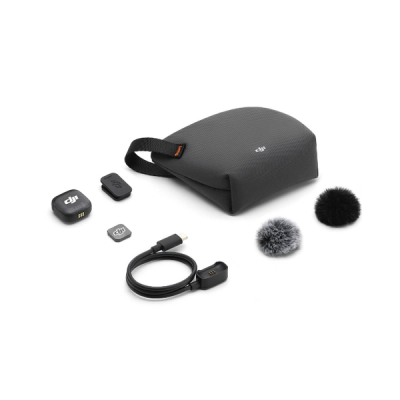
DJI Pocket 4 Standard Combo: 1″ CMOS portable gimbal camera with basic accessories, including a gimbal clamp and carrying pouch.
Product dossier
The World In My Pocket
DJI Osmo Pocket 4
- High-Quality Imaging:
A 1-inch CMOS sensor delivers detailed footage with strong low-light performance.
- Ultra-Smooth Slow Motion:
Supports up to 4K/240fps for high-resolution slow-motion capture.
- Advanced Colour Performance:
10-bit D-Log and 14-stop dynamic range enable greater flexibility in colour grading.
- Versatile Zoom Capability:
2× lossless zoom allows clear framing of distant subjects without compromising quality.
- Stable and Cinematic Footage:
3-axis mechanical stabilisation ensures smooth, shake-free recording.
- Enhanced Tracking:
ActiveTrack 7.0 improves subject tracking accuracy, even at distance and zoom.
Full specifications
Manuals & documents
Frequently asked questions
What are the functions of the two new physical buttons on Osmo Pocket 4?⌄
Osmo Pocket 4 adds two new physical buttons under the touchscreen: a Zoom button and a Custom button.
Zoom button:
Press to switch between 1× zoom and 2× zoom. If the current zoom is 1×, you can press to switch to 2×. If the current zoom is another value, you can press to switch back to 1×. Press twice to switch to 4× zoom.
Custom button:
Press and hold to activate the custom preset features, including Switch Gimbal Mode, Photo/Video, Quick Capture, Switch C1/C2, C1 Quick Capture, Rotate Gimbal, Recenter Gimbal, Enable/Disable Gimbal Lock, Enable/Disable Fill Light, Follow/FPV, and so on.
What is the usage of the new Subject Management feature on Osmo Pocket 4?⌄
On the Subject Management page, you can register and manage up to three subjects, which can be the same person if needed.
Once registration is complete, you can enable the “Registered Subjects Only” gesture control option.
When the “Registered Subject Priority” focus mode is on, Osmo Pocket 4 prioritizes focusing on the registered subject.
When the “Spotlight Follow” tracking mode is on, Osmo Pocket 4 quickly tracks the registered subject.
How long can Osmo Pocket 4 record when using its built-in storage?⌄
Osmo Pocket 4 has 107 GB of built-in storage. At the standard bitrate, it can record and save up to approximately 600 minutes of 1080p/24fps video or 220 minutes of 4K/60fps video.
What are the effective ranges for gesture control and subject tracking on Osmo Pocket 4?⌄
Effective range for gesture control:
• 1× zoom: 0.5 m to 5 m
• 2× zoom: 1 m to 7 m
Effective range for subject tracking:
• 1× zoom: up to 10 m
What is the minimum object distance supported by Osmo Pocket 4?⌄
The minimum object distance is 20 cm.
What Timelapse modes are available on Osmo Pocket 4? What parameters can be customized?⌄
There are three modes: Hyperlapse, Timelapse, and Motionlapse.
In Hyperlapse mode, you can set the resolution, frame rate, and speed.
In Timelapse mode, you can set the resolution, frame rate, interval, and duration.
In Motionlapse mode, you can set the resolution, frame rate, interval, duration, and waypoints.
Can I save individual images from the timelapse when shooting a timelapse video on Osmo Pocket 4?⌄
You can save images in Timelapse or Motionlapse mode, but not in Hyperlapse mode.
By default, only videos are saved in Timelapse and Motionlapse modes. To save images, modify settings in Pro mode.
In Pro mode, you can set the format to Video + JPEG or Video + RAW to save both the original images and the final timelapse video.
What is Osmo Pocket 4's D-Log color profile?⌄
D-Log is designed to capture a wide dynamic range from the sensor, and colors are distributed evenly so the bright and dark parts of the video have greater fidelity and clarity. It is not a LUT but a lower-contrast video with a flat color profile, which is great for expanding post-processing options.