This product has been discontinued. Spares and accessories may still be available — get in touch and our team will help you find the right current alternative.
50-day return policy⌄
- Return within 50 days of purchase.
- Full refund for unopened, sealed, unactivated items.
- Opened products may still qualify if unused.
- For orders over £100, we can arrange your return via DPD or in-person drop-off.
Next-day delivery — order before 3pm⌄
- Order before 3pm Mon–Fri for next-working-day delivery (free over £99).
- UK Saturday delivery available on orders placed before 3pm Friday.
- After 3pm Friday — dispatched Monday.
- Some UK regions may need 2–3 working days.
Discounted options with main purchase⌄
- Bundle pricing on accessories, spares and training when bought together.
- Reduced rates on add-ons selected at checkout.
- Ask us for a tailored quote on multi-unit or fleet orders.
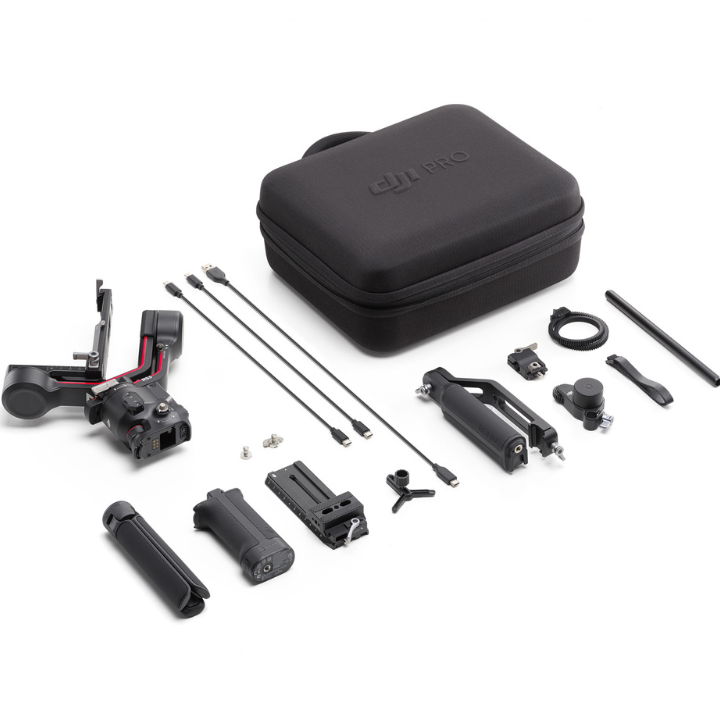
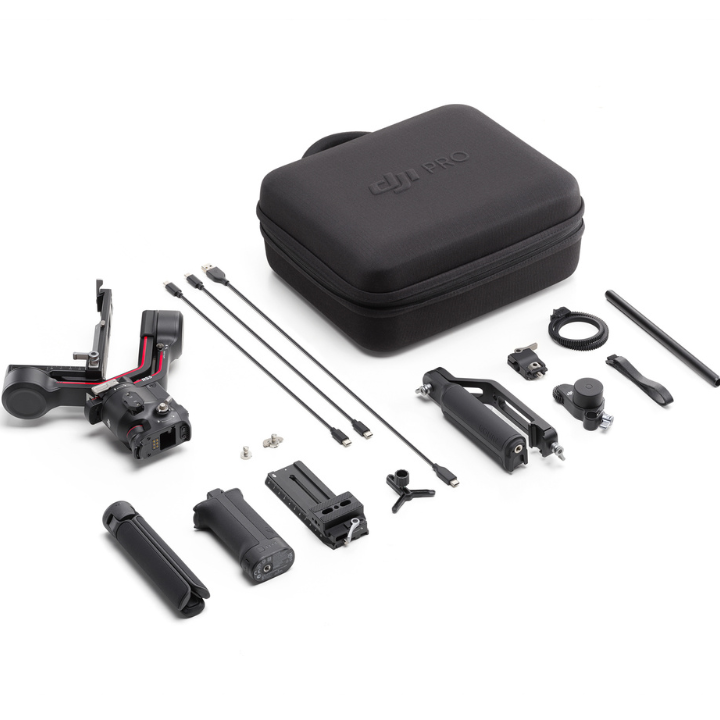
DJI RS 3 Gimbal Combo
Buy DJI RS 3 Gimbal Combo, a camera stabiliser kit for smooth video capture. Compare RS3 combo features, payload support and Ronin accessories.
This product is out of stock but we can notify you as soon as it’s available again. Simply leave us your email and we’ll take care of the rest.
Product dossier
Redesigned Axes-Locking System
DJI RS 3 Gimbal Combo
- Automated Axis Locks:
Unfold your RS 3 instantly with the automated axis locks for a quick setup.
- Sleep Mode:
Tap the power button to enter sleep mode for faster power-up and storage.
- Position Memory:
Quick-release plates allow for fast mounting with precise payload balance.
- Bluetooth Shutter Button:
Supports automatic camera connection without needing a control cable.
Full specifications
Frequently asked questions
How long is the runtime of the DJI RS 3 battery grip?⌄
Up to 12 hours with equipment in a level and stationary state, the gimbal balanced, three axes in an active state, and the battery only powering the gimbal.
What functions can be controlled by Bluetooth shutter on DJI RS 3?⌄
Press halfway to autofocus, press once to start recording, and press and hold to take a photo.
How do I enable the different gimbal modes of DJI RS 3?⌄
With the new gimbal mode switch, you can quickly change between Pan Follow, Pan and Tilt Follow, and FPV modes. The FPV switch is also customisable to 3D Roll 360, Portrait, or Custom.
Common questions
- How do I enable different gimbal modes for DJI RS 3 Pro?
- How do I enable the different gimbal modes of DJI RS 3?