50-day return policy⌄
- Return within 50 days of purchase.
- Full refund for unopened, sealed, unactivated items.
- Opened products may still qualify if unused.
- For orders over £100, we can arrange your return via DPD or in-person drop-off.
Next-day delivery — order before 3pm⌄
- Order before 3pm Mon–Fri for next-working-day delivery (free over £99).
- UK Saturday delivery available on orders placed before 3pm Friday.
- After 3pm Friday — dispatched Monday.
- Some UK regions may need 2–3 working days.
Discounted options with main purchase⌄
- Bundle pricing on accessories, spares and training when bought together.
- Reduced rates on add-ons selected at checkout.
- Ask us for a tailored quote on multi-unit or fleet orders.
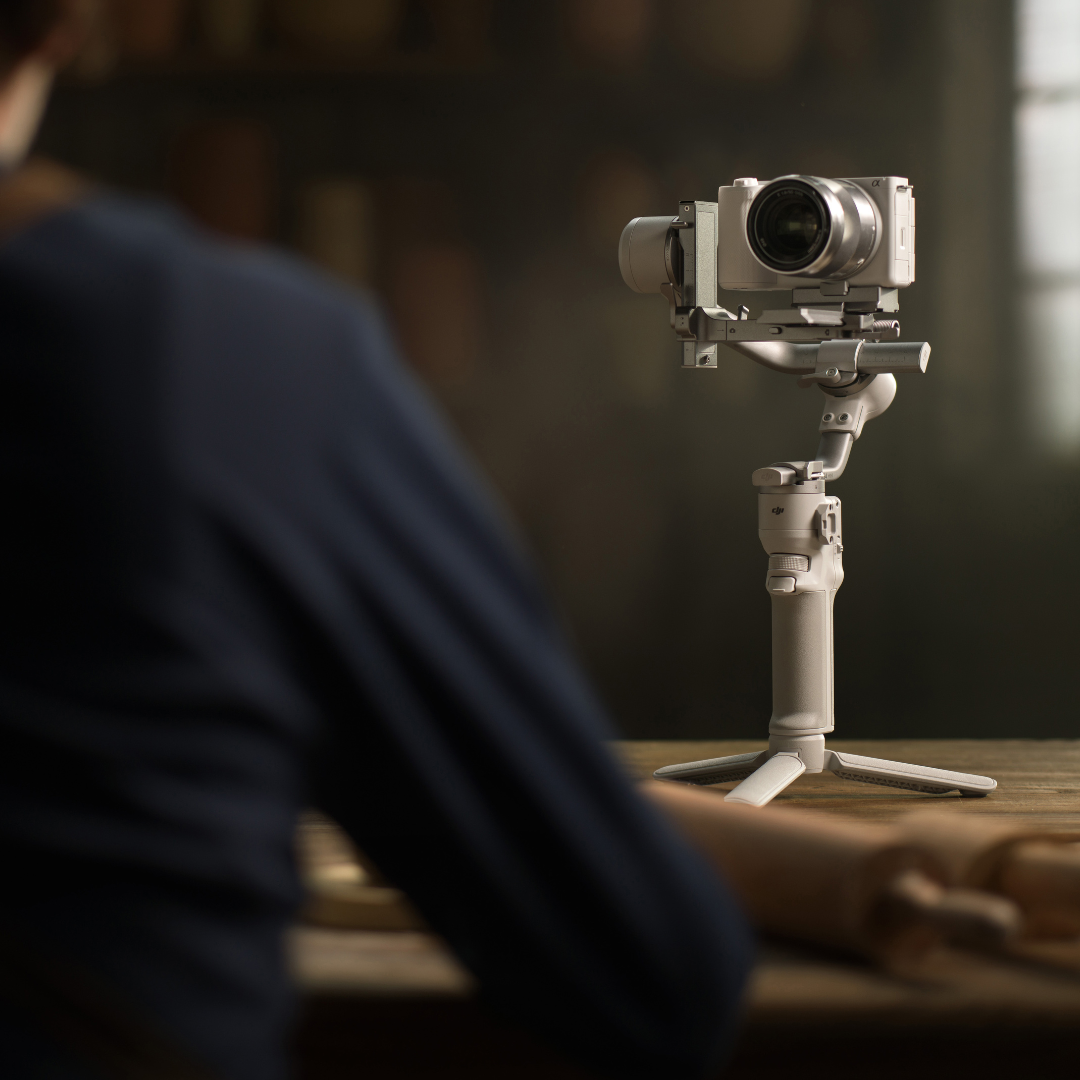
DJI RS 4 Mini
Compact gimbal with 2nd-gen axis locks, fast vertical switching, Teflon™-enhanced balancing, & smart tracking for smooth filming.
Product dossier
A lightweight, feature-packed gimbal designed for efficiency and ease.
Compact Powerhouse for Creators
- 2nd-Gen Automated Axis Locks:
Faster setup and storage with automated locking and unlocking.
- Responsive Follow Mode:
Smooth, accurate tracking that keeps subjects perfectly framed.
- Quick Vertical Switch:
Effortlessly transition between horizontal and vertical shooting modes.
- Teflon™ Enhanced Balancing:
Simplifies precise camera adjustments for steady, reliable performance.
Full specifications
Frequently asked questions
What is the difference between the DJI RS 4 Mini Standard package and the Combo?⌄
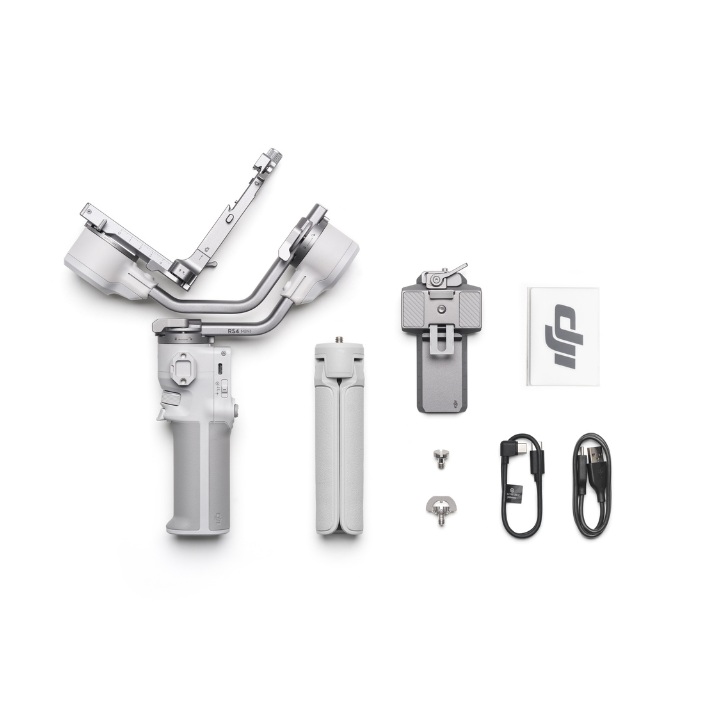
Check out the table below to see the differences between the two RS packages.
| DJI RS 4 Mini | DJI RS 4 Mini Combo |
|---|---|
| Gimbal | Gimbal |
| BG21 Battery Grip | BG21 Battery Grip |
| Quick-Release Plate (Arca-Swiss/Manfrotto) | Quick-Release Plate (Arca-Swiss/Manfrotto) |
| Extended Grip/Tripod (Plastic) | Extended Grip/Tripod (Plastic) |
| Lens-Fastening Support | Lens-Fastening Support |
| Multi-Camera Control Cable (USB-C, 30 cm) | Multi-Camera Control Cable (USB-C, 30 cm) |
| USB-C Charging Cable (40 cm) | USB-C Charging Cable (40 cm) |
| Screw Kit | Screw Kit |
| Briefcase Handle | |
| Carrying Case | |
| Focus Pro Motor | |
| Focus Pro Motor Rod Mount Kit | |
| Focus Gear Strip |
How do I activate the DJI RS 4 Mini?⌄
Follow these steps to activate your DJI RS 4 Mini:
1. Power On: Press and hold the power button to turn on the gimbal, then select your preferred language.
2. Enable Bluetooth: Turn on Bluetooth on your smartphone.
3. Connect via the Ronin App: Open the Ronin app, log in or register with your DJI account, tap Connect, and select DJI RS 4 Mini. Enter the default password 12345678 and follow the on-screen instructions to complete activation.
4. Exit Sleep Mode: After activation, the gimbal enters sleep mode. Press the power button once to wake it up before use.
Notes:
• Ensure your mobile device is connected to the internet during activation.
• The RS 4 Mini allows up to five trials without activation. After that, activation is required for further use.
What are the key shortcuts for the DJI RS 4 Mini?⌄
The DJI RS 4 Mini features several key shortcuts for quick control, check out our table for a quick overview.
| Shortcut | Action | Function |
|---|---|---|
| Power Button | Press and hold | Power on/off |
| Press once/twice | Sleep/wake | |
| Press once (while off) | Check battery level | |
| Trigger | Press and hold | Enter Lock/FPV mode |
| Press twice | Recenter the gimbal | |
| Press three times | Enter Selfie mode | |
| Front Dial | Rotate | Default: Electronic focus (customisable via touchscreen) |
| Camera Control Button | Press halfway | Autofocus |
| Press once | Start/stop recording | |
| Press and hold | Take a photo | |
| Joystick | Push up/down | Control Power Zoom (Sony PZ lenses) or Sony Clear Image Zoom |
| Push up/down | Control tilt axis movement (default) | |
| Push left/right | Control pan axis movement (default) | |
| M Button | Press once | Customisable (Take Photo or C1/Fn1 Button Mapping) |
| Press and hold | Enter Sport Mode | |
| Press and hold M + press trigger twice | Lock into Sport Mode (repeat to exit) | |
| Press and hold M + press trigger | Start Auto Tune |
Common questions
- DJI RS 5 vs DJI RS 4 Pro vs DJI RS 4 vs DJI RS 4 Mini: What's the difference?
- How do I activate the DJI RS 4 Mini?
- What are the key shortcuts for the DJI RS 4 Mini?
- What is the difference between the DJI RS 4 Mini Standard package and the Combo?