50-day return policy⌄
- Return within 50 days of purchase.
- Full refund for unopened, sealed, unactivated items.
- Opened products may still qualify if unused.
- For orders over £100, we can arrange your return via DPD or in-person drop-off.
Next-day delivery — order before 3pm⌄
- Order before 3pm Mon–Fri for next-working-day delivery (free over £99).
- UK Saturday delivery available on orders placed before 3pm Friday.
- After 3pm Friday — dispatched Monday.
- Some UK regions may need 2–3 working days.
Discounted options with main purchase⌄
- Bundle pricing on accessories, spares and training when bought together.
- Reduced rates on add-ons selected at checkout.
- Ask us for a tailored quote on multi-unit or fleet orders.
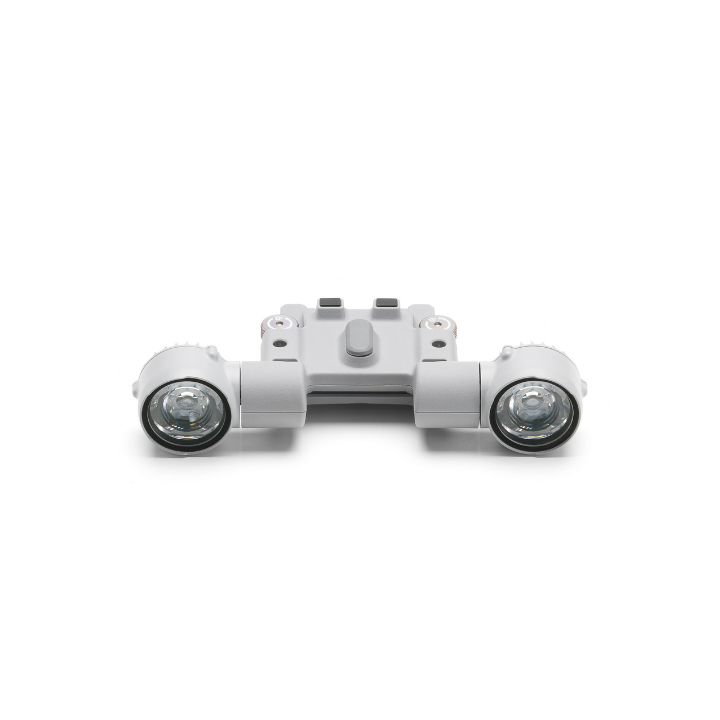
Rental DJI AL1 Spotlight
Please upload the required information and documentation to complete your rental.
What do I need to book a rental?
Provide a few key documents, then enjoy your hire.
Insurance
Insure your rental under a hired-in (non-owned) equipment policy. We’ll need a certificate before your kit ships.
Flyer ID
Hold a valid CAA Flyer ID, plus an Operator ID covering the category of aircraft you’re hiring.
Proof of ID
After checkout, send a copy of your passport or driving licence so we can verify the booking.
Product dossier
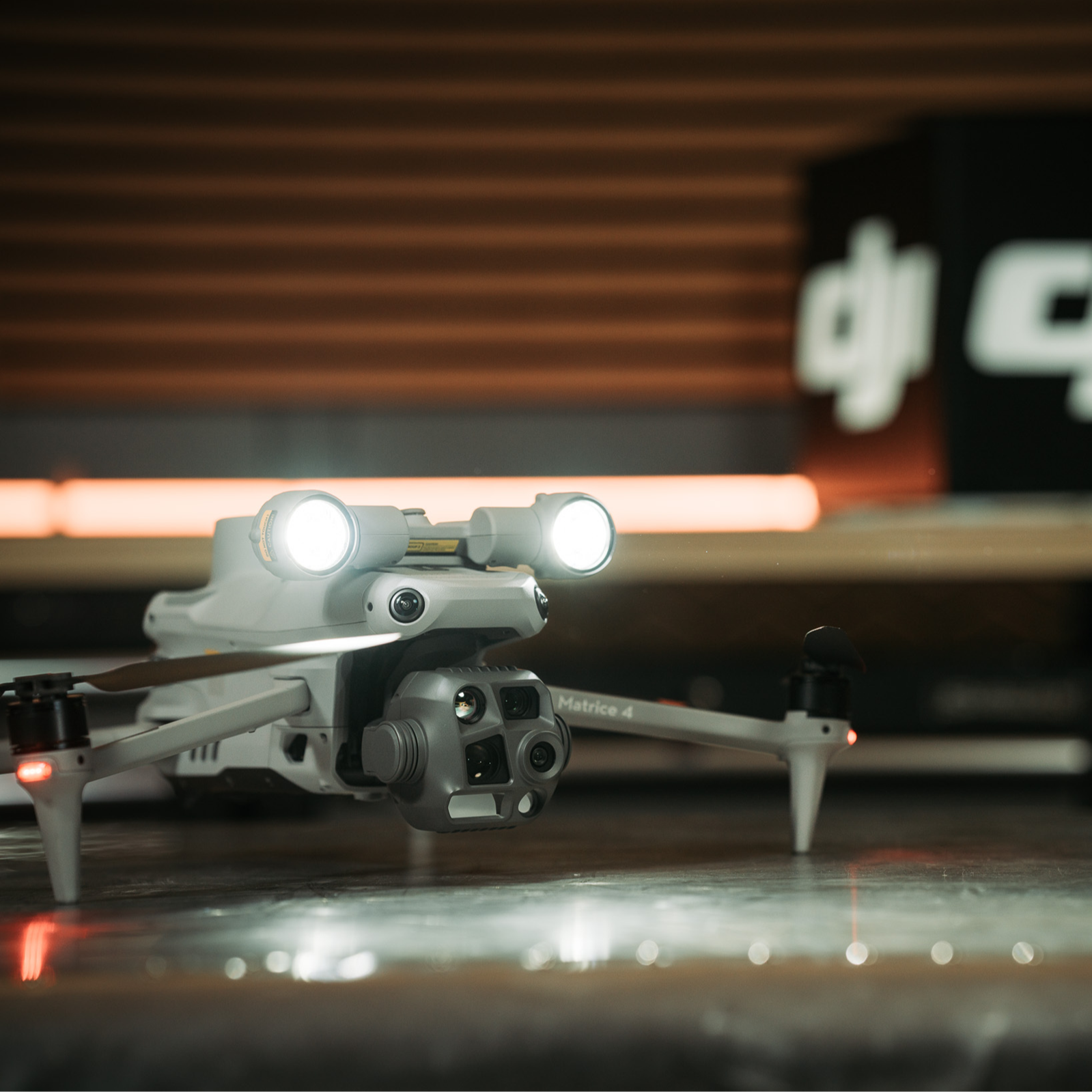
A versatile spotlight designed to illuminate and track with accuracy.
Precision Lighting for Aerial Missions
- Long-Range Illumination:
Brightly lights up subjects up to 100 metres away for clear visibility.
- Dual Lighting Modes:
Choose between Always-On and Strobe modes to suit your operational needs.
- Smart Tracking:
Features intelligent gimbal following for precise and consistent spotlight positioning.
- Versatility:
The spotlight can be used on its own, or deployed alongside the DJI AS1 Speaker (available separately) to meet a range of applications.
- Compatibility:
The AL1 Spotlight is compatible with DJI Matrice 4 Series drones.
Full specifications
Manuals & documents
Frequently asked questions
What functions are supported with the DJI AL1 SpotLight?⌄
Key functions include of the DJI AL1 Spotlight include: 1. DJI AL1 SpotLight supports always-on and strobe modes; support enabling and disabling follow gimbal orientation mode. 2. The spotlight and speaker can be used independently or in combination, meeting the needs of more operational scenarios. 3. Added wide fov lighting mode, which can illuminate a wider area.* * Please upgrade the firmware to the latest version.
How to use the wide fov mode of the DJI AL1 Spotlight?⌄
In the app's spotlight settings, turn on the wide fov mode to increase the illumination range and field of view. This feature is linked to the camera zoom ratio and is only effective with the wide-angle camera and 1X zoom.
Which drones can I use the DJI AL1 Spotlight with?⌄
The DJI AL1 Spotlight is compatible with DJI Matrice 4 Series drones.
What are the installation precautions for the DJI AL1 Spotlight?⌄
To ensure proper installation and optimal performance, follow these precautions: Secure Installation: Tighten all screws during installation to ensure the spotlight is securely attached. Activation and Updates: After installation, activate the spotlight through the App prompts and update all devices to the latest firmware.
What are the usage tips for the DJI AL1 Spotlight?⌄
To optimise performance and maintain efficiency, consider the following tips: Enable Electronic Defogging: Activate the electronic defogging function when using the spotlight in wide-angle or 1X mode to improve image quality. Manage Brightness: Reduce the spotlight’s brightness and use it only as needed to minimise its impact on the drone’s flight time.
What shortcut operations does the DJI AL1 Spotlight support?⌄
It supports shortcuts to turn on/off/ strobe. These can be set in the App remote controller's custom buttons for quick operation during tasks.
What are the usage precautions for the combined functions of the DJI AL1 SpotLight and DJI AS1 Speaker?⌄
When using the speaker and spotlight together, please remove the adapter bracket at the bottom of the speaker, install the speaker onto the top interface of the spotlight, and tighten the screws.
Does the DJI AL1 Spotlight support disabling the follow gimbal orientation mode?⌄
In the spotlight settings, you can choose to disable the follow gimbal orientation mode. Please note that once disabled, the spotlight will maintain its current angle; when re-enabled, the spotlight will automatically adjust to align with the gimbal's orientation.
Common questions
- What functions are supported with the DJI AL1 SpotLight?
- What shortcut operations does the DJI AL1 Spotlight support?
- How to Upgrade the Firmware of DJI AL1 Spotlight?
- What are the usage precautions for the DJI AL1 SpotLight?
- What are the usage tips for the DJI AL1 Spotlight?
- What are the installation precautions for the DJI AL1 Spotlight?