50-day return policy⌄
- Return within 50 days of purchase.
- Full refund for unopened, sealed, unactivated items.
- Opened products may still qualify if unused.
- For orders over £100, we can arrange your return via DPD or in-person drop-off.
Next-day delivery — order before 3pm⌄
- Order before 3pm Mon–Fri for next-working-day delivery (free over £99).
- UK Saturday delivery available on orders placed before 3pm Friday.
- After 3pm Friday — dispatched Monday.
- Some UK regions may need 2–3 working days.
Discounted options with main purchase⌄
- Bundle pricing on accessories, spares and training when bought together.
- Reduced rates on add-ons selected at checkout.
- Ask us for a tailored quote on multi-unit or fleet orders.
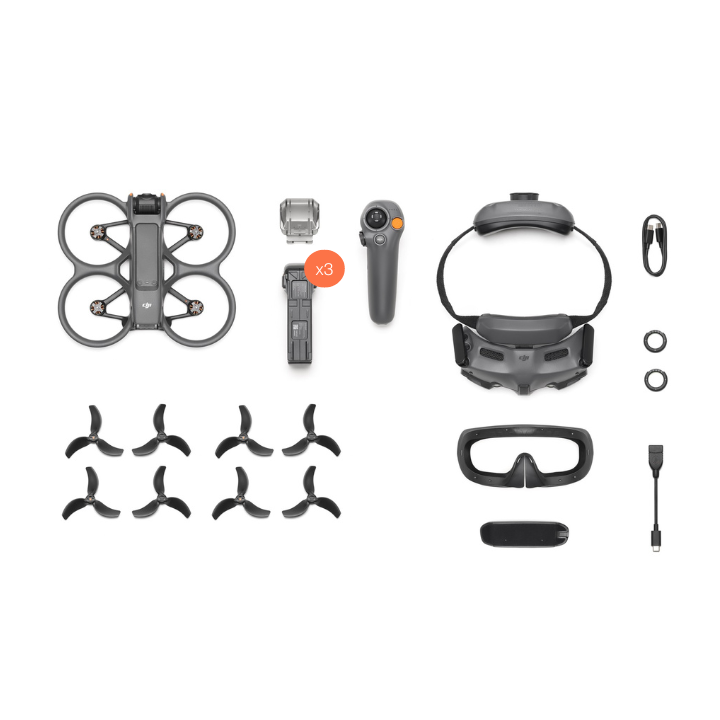
Rental DJI Avata 2 Fly More Combo
Please upload the required information and documentation to complete your rental.
What do I need to book a rental?
Provide a few key documents, then enjoy your hire.
Insurance
Insure your rental under a hired-in (non-owned) equipment policy. We’ll need a certificate before your kit ships.
Flyer ID
Hold a valid CAA Flyer ID, plus an Operator ID covering the category of aircraft you’re hiring.
Proof of ID
After checkout, send a copy of your passport or driving licence so we can verify the booking.
Product dossier
Immersive FPV flights
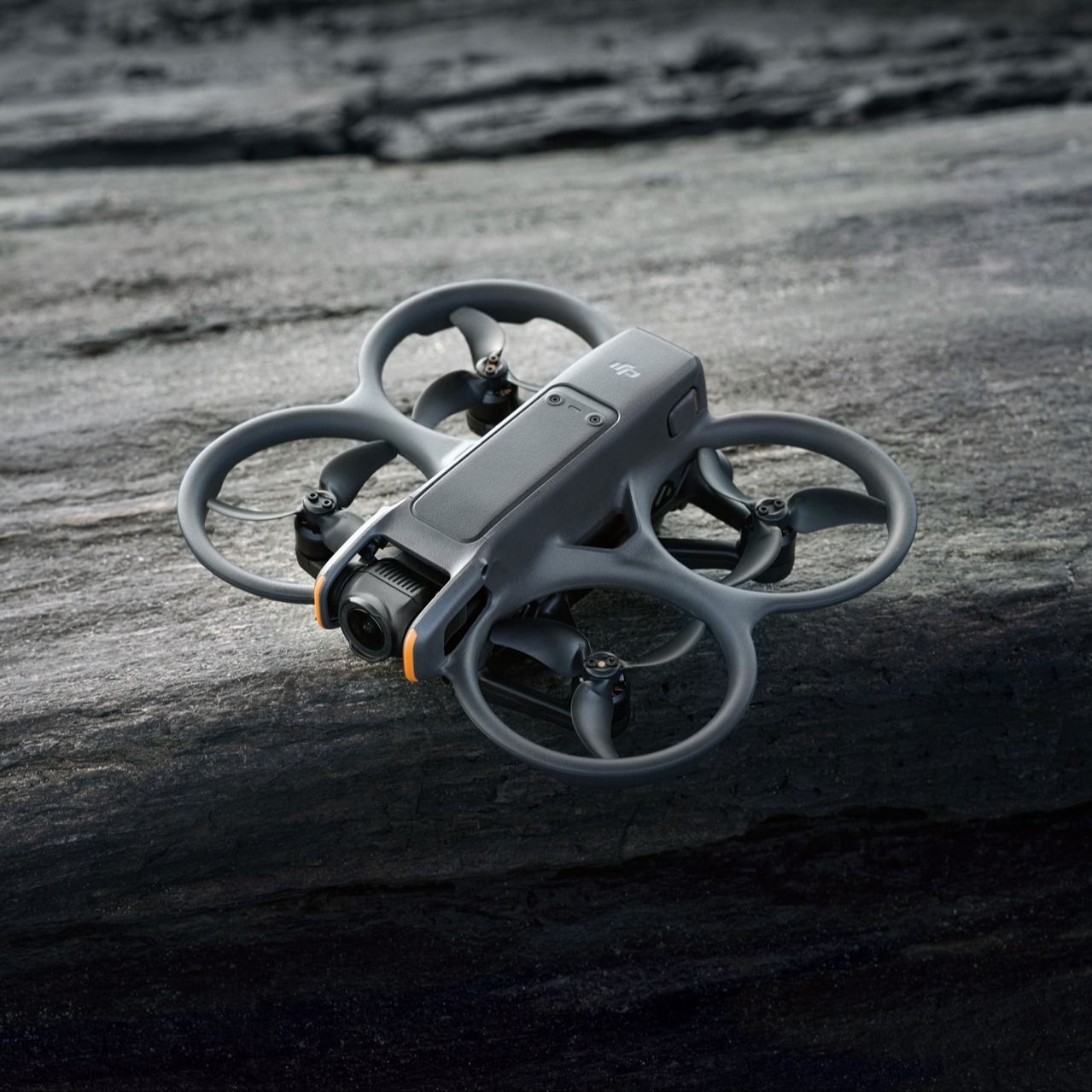
DJI Avata 2 Key Features
4K/60fps HDR video, 4K/100fps slow-motion video, and 155° ultra-wide-angle FOV.
Upgraded 1/1.3-inch sensor.
Conduct stunning acrobatics - front/back flips, sideways rolls, and drifts.
23 minutes of flight time.
Built-in propeller guards to increase flight safety.
Turtle Mode flips Avata 2 back into the take-off position.
Full specifications
Manuals & documents
Frequently asked questions
Compared to other consumer drones from DJI, what sets the DJ Avata 2 apart?⌄
What sets the DJI Avata 2 apart from other consumer drones is that it's an FPV (first-person view) drone. To operate the DJI Avata 2, you'll need a DJI Goggles series product, a DJI RC Motion series product, or a DJI FPV Remote Controller product. This setup opens doors to an immersive flight experience, capturing the exhilaration of navigating your surroundings with freedom. Unlike other consumer drones, the DJI Avata 2 offers unique camera angles and an enjoyable, playful control experience. With its integrated propeller guard designed for safety, the DJI Avata 2 can soar through low-altitude, indoor, wooded areas, or even under bridges, allowing for incredibly close proximity to subjects and capturing images and videos from unique angles. When paired with DJI RC Motion 3, users can swiftly master flight control without the need for complicated instructions. Safety is ensured with a beginner’s mode, while the Easy ACRO function adds an extra layer of flying enjoyment. Alternatively, with the DJI FPV Controller 3, users can take flight in manual mode (M mode), granting them total freedom to soar through the skies at their command.
Compared to DJI Avata, what improvements have been made in the camera module of DJI Avata 2?⌄
Improvements that have been made to the DJI Avata 2's camera module include: The light-sensitive area of the image sensor has been increased, which leads to higher sensitivity and significantly better imaging results, also making it more suitable for low-light shooting. EIS has been enhanced. When used with DJI RC Motion 3, RockSteady is enabled at normal shooting angles and video recording at frame rates up to 60fps, resulting in smoother and more stable footage. The dynamic range of the image sensor has been improved, making it more suitable for scenes with a high dynamic range. It supports a 10-bit D-Log M colour profile, providing users with more post-processing and video editing flexibility.
Compared to DJI Avata, what improvements have been made in the camera module of DJI Avata 2?⌄
Improvements that have been made to the DJI Avata 2's camera module include: The light-sensitive area of the image sensor has been increased, which leads to higher sensitivity and significantly better imaging results, also making it more suitable for low-light shooting. EIS has been enhanced. When used with DJI RC Motion 3, RockSteady is enabled at normal shooting angles and video recording at frame rates up to 60fps, resulting in smoother and more stable footage. The dynamic range of the image sensor has been improved, making it more suitable for scenes with a high dynamic range. It supports a 10-bit D-Log M colour profile, providing users with more post-processing and video editing flexibility.
Does DJI Avata 2 support obstacle avoidance?⌄
DJI Avata does not support obstacle avoidance. In N mode (Normal mode) and S mode (Sport mode), DJI Avata 2 supports downward and backward visual positioning to enhance flight safety.
Does the DJI Avata 2 camera support electronic stabilisation? ⌄
The DJI Avata 2 does support electronic stabilisation. It offers three selectable modes: RockSteady, HorizonSteady, and Off. With stabilization turned off, footage captured with the wide-angle view supports Gyroflow offline stabilisation. The default electronic stabilisation mode for Avata 2 out of the box is RockSteady. Users can adjust the settings via the Settings > Camera > EIS in the goggles menu.
Compared to the O3 video transmission of DJI Avata, what are the improvements of the O4 video transmission of DJI Avata 2?⌄
There are various improvements of the O4 video transmission system, it utilises a new hardware solution. The aircraft antennas have upgraded from two (2T2R) to four (2T4R). A new frequency band, extending the maximum transmission distance of the high-definition live feed to 13 km*, with up to 60 MHz in communication bandwidth. The maximum transmission bitrate has been increased to 60Mbps. When paired with DJI Goggles 3, the latency is as low as 24 ms for 1080p/100fps live feeds and as low as 40 ms for 1080p/60fps live feeds. * Measured in an unobstructed outdoor environment free of interference. The above data shows the farthest communication range for one-way, non-return flights under FCC standards and is for reference only. Always pay attention to RTH reminders on the goggles screen during your flight.
How do I transfer files from DJI Avata 2 to a smartphone / computer? ⌄
Transferring files to a phone: Avata 2 allows for Wi-Fi transfer to phones via the DJI Fly app, with download rates up to 30 MB/s*. Power on the drone, open the DJI Fly app and use the QuickTransfer function by following the instructions. Keep the drone and phone within 2 meters with no obstructions for the best transfer experience. Transferring files to a computer: Connect the drone to your computer with a USB cable without powering on Avata 2. When using a memory card, insert the card directly into the computer. *Measured in a laboratory environment with little interference in countries regions that support both 2.4GHz. Download speeds may vary depending on the actual conditions.
What precautions should be taken when using DJI Avata 2 in other countries or regions?⌄
When using DJI Avata 2 in other countries or regions, make sure that you check and follow local radio frequency laws and regulations. Connect the aircraft to the DJI Fly app, and the software will automatically tune the system settings of DJI Avata 2 according to local laws and regulations.
Common questions
- Does DJI Avata 2 support obstacle avoidance?
- Does DJI Avata 2 support indoor flying?
- Does DJI Avata 2 support Turtle mode?
- In comparison to DJI Avata, what upgrades does the DJI Avata 2 have?
- What advanced controls does DJI Avata 2 support?
- Does DJI Avata 2 support Find My Drone?