50-day return policy⌄
- Return within 50 days of purchase.
- Full refund for unopened, sealed, unactivated items.
- Opened products may still qualify if unused.
- For orders over £100, we can arrange your return via DPD or in-person drop-off.
Next-day delivery — order before 3pm⌄
- Order before 3pm Mon–Fri for next-working-day delivery (free over £99).
- UK Saturday delivery available on orders placed before 3pm Friday.
- After 3pm Friday — dispatched Monday.
- Some UK regions may need 2–3 working days.
Discounted options with main purchase⌄
- Bundle pricing on accessories, spares and training when bought together.
- Reduced rates on add-ons selected at checkout.
- Ask us for a tailored quote on multi-unit or fleet orders.
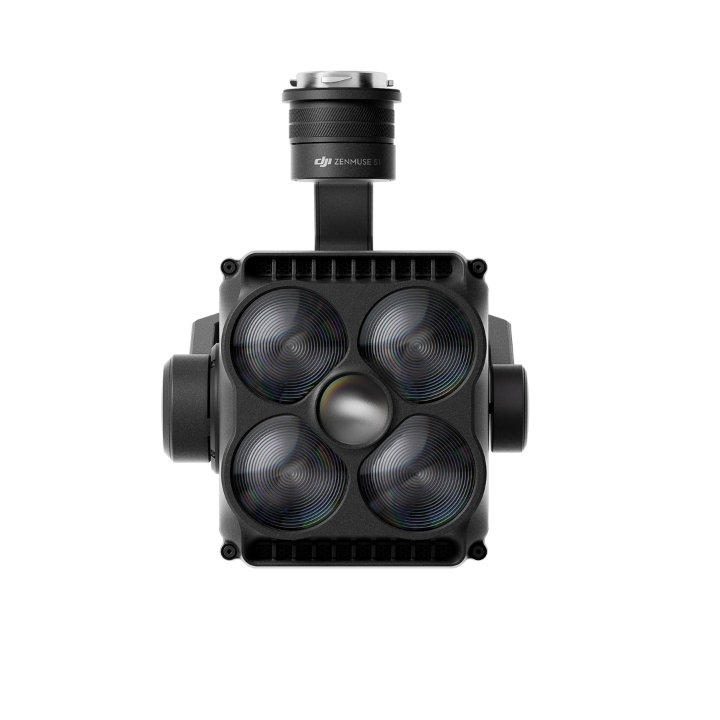
Rental DJI Zenmuse S1
Please upload the required information and documentation to complete your rental.
What do I need to book a rental?
Provide a few key documents, then enjoy your hire.
Insurance
Insure your rental under a hired-in (non-owned) equipment policy. We’ll need a certificate before your kit ships.
Flyer ID
Hold a valid CAA Flyer ID, plus an Operator ID covering the category of aircraft you’re hiring.
Proof of ID
After checkout, send a copy of your passport or driving licence so we can verify the booking.
Product dossier
A compact, efficient searchlight designed for public safety and inspection scenarios.
Precision Lighting for Every Mission
- Multiple Lighting Modes:
Low beam, high beam, both-on, and strobe modes for diverse operational needs.
- High-Intensity Illumination:
Up to 40 lux at 100 metres, enabling visibility over 500 meters alongside camera payloads.
- Sturdy Payload:
Designed for tough conditions, the searchlight features an IP54 rating and operates reliably in temperatures ranging from -20°C to 40°C.
- Energy-Efficient Performance:
Rated at 68W (with M350 and M300) and 120W with DJI M400.
- Lightweight and Flexible:
Compact design fits any gimbal port, supports gimbal follow, and integrates seamlessly with camera payloads and voice speakers.
- Flexible Installation:
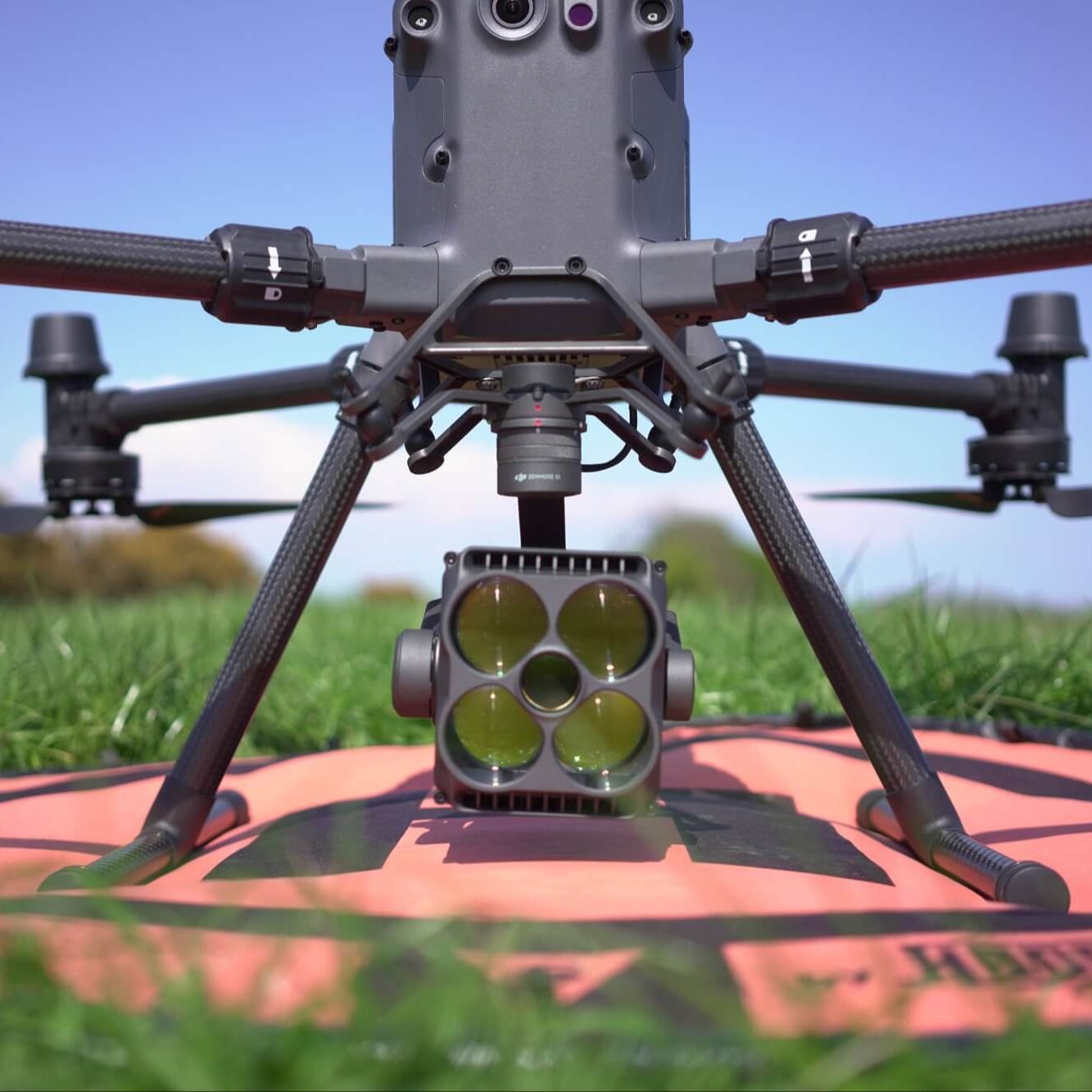
Compatible with DJI M400, DJI M350 RTK, and DJI M300. The DJI RC Plus is required when using the S1 with either the M350 or M300.
Full specifications
Manuals & documents
Frequently asked questions
Which aircraft is compatible with Zenmuse S1? Which gimbal port can be used?⌄
DJI Matrice 400, Matrice 350 RTK and Matrice 300 RTK. The only compatible remote controller for Matrice 350 RTK and Matrice 300 RTK is DJI RC Plus. Before using, please update the drone and the remote controller to the latest firmware. It can be mounted onto any gimbal connector on Matrice 400, Matrice 350 RTK or Matrice 300 RTK.
What is the ingress protection (IP) rating of Zenmuse S1?⌄
IP54.
What is Zenmuse S1 max illumination?⌄
The maximum illuminance of the S1 depends on which DJI drone is used: 40 lux @ 100 m (Matrice 400) 35 lux @ 100 m (Matrice 350 RTK/Matrice 300 RTK)
What is the illumination range of Zenmuse S1?⌄
The Low Beam mode and the Both On mode have an FOV of 15°, corresponding to an illuminated area of approximately 544 m² at a distance of 100 m. The High Beam mode has an FOV of 4°, corresponding to an illuminated area of approximately 38 m² at a distance of 100 m.
What precaution should be taken when using Zenmuse S1?⌄
When using the searchlight in high-humidity environments, fogging may occur. This does not affect its optical performance during use. After use, place the searchlight in a dry, ventilated area for a short period to allow the fog to dissipate naturally. At night, the searchlight may trigger false obstacle avoidance. Depending on the situation, disable obstacle avoidance and operate the aircraft and searchlight in relatively open, unobstructed areas. Do not directly touch the searchlight lens or scratch its surface coating with hard objects, as this will reduce light output efficiency and affect luminous flux and illuminance. When cleaning the lens, use only a soft, dry cloth. Never use alkaline cleaners. Store the searchlight in a safe case in a dry, ventilated environment with an ambient humidity of 40–50%.
Common questions
- What is Zenmuse S1 max illumination?
- What is the illumination range of Zenmuse S1?
- What precaution should be taken when using Zenmuse S1?
- What is the ingress protection (IP) rating of Zenmuse S1?
- Which aircraft is compatible with Zenmuse S1? Which gimbal port can be used?