Production has ended, but this platform is fully supported at heliguy — spares, rental, DJI-authorised service and training. Looking to buy new? See the DJI Mini 5 Pro below.
50-day return policy⌄
- Return within 50 days of purchase.
- Full refund for unopened, sealed, unactivated items.
- Opened products may still qualify if unused.
- For orders over £100, we can arrange your return via DPD or in-person drop-off.
Next-day delivery — order before 3pm⌄
- Order before 3pm Mon–Fri for next-working-day delivery (free over £99).
- UK Saturday delivery available on orders placed before 3pm Friday.
- After 3pm Friday — dispatched Monday.
- Some UK regions may need 2–3 working days.
Discounted options with main purchase⌄
- Bundle pricing on accessories, spares and training when bought together.
- Reduced rates on add-ons selected at checkout.
- Ask us for a tailored quote on multi-unit or fleet orders.
Still supported here
Succeeded by DJI Mini 5 Pro
Under 250 g — you can fly in the A1 subcategory with just an Operator ID. No certificate of competency required.
Product dossier
Powerful, portable small drone.
DJI Mini 4 Pro Key Features
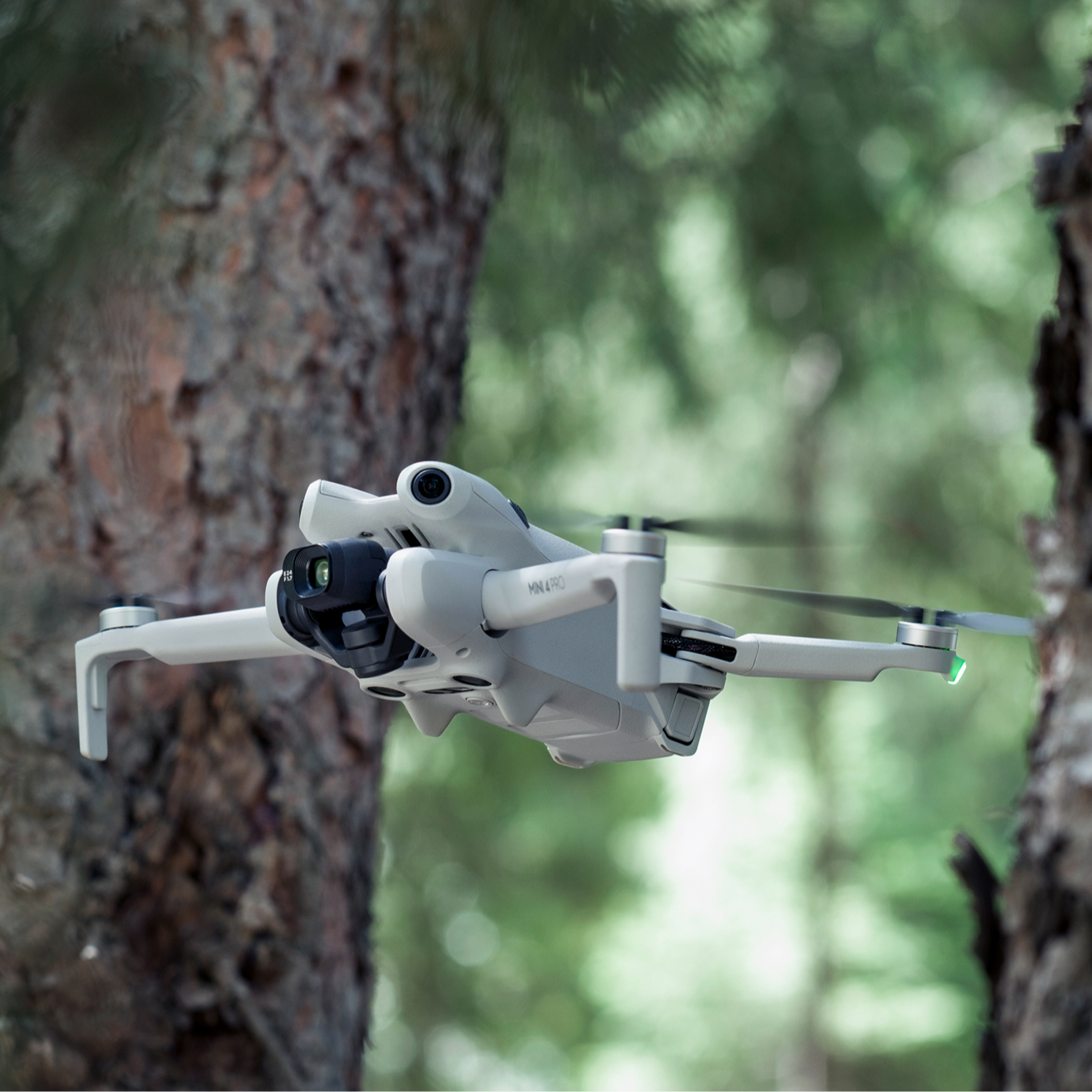
Under 249g: Lightweight, safe, and regulation-friendly.
4K/60fps HDR True Vertical Shooting and 4K/100fps slow motion.
Upgraded colour modes: 10-bit D-Log M and HLG.
Omnidirectional obstacle sensing.
34 minutes of flight time.
Flagship DJI O4 FHD Video Transmission, with 1080p/60fps live view quality.
Full specifications
Customer reviews
“Getting used to the new features having upgraded from the MM1. Initially all the warnings and chimes were off putting, I did feel overly concerned until I managed to get the machine in the air more than a meter above me. Once flying it is very responsive with very nice clear video feed. The zoom feature is interesting. I have a lot to learn about what it can do, happy with results so far.”
“The kit arrived swiftly and safely, as expected. My only previous drone was an original Mavic and the amount of features and assistance in the Mini 4 Pro are amazing in comparison. I've now got to get my head around the settings and controls, but - initially - I'm impressed at the stability in wind, especially gusting wind, which is more than I expected from a <259g aircraft. The charging box and spare propellers are well-made, as is the drone. The RC2 controller is a star - mightily impressed with it. Battery life is about as I expected, but the combo gives as much time as I'm going to need. So far, so good!”
Frequently asked questions
What is the difference between the Mini 4 Pro Combos?⌄
The DJI Mini 4 Pro is available in three versions.
• DJI Mini 4 Pro with RC-N2: Includes the standard DJI RC-N2 remote controller - used with a smart device - and basic accessories, including one flight battery.
• DJI Mini 4 Pro with RC 2: Includes the DJI RC 2 with built-in screen, and basic accessories, including one flight battery.
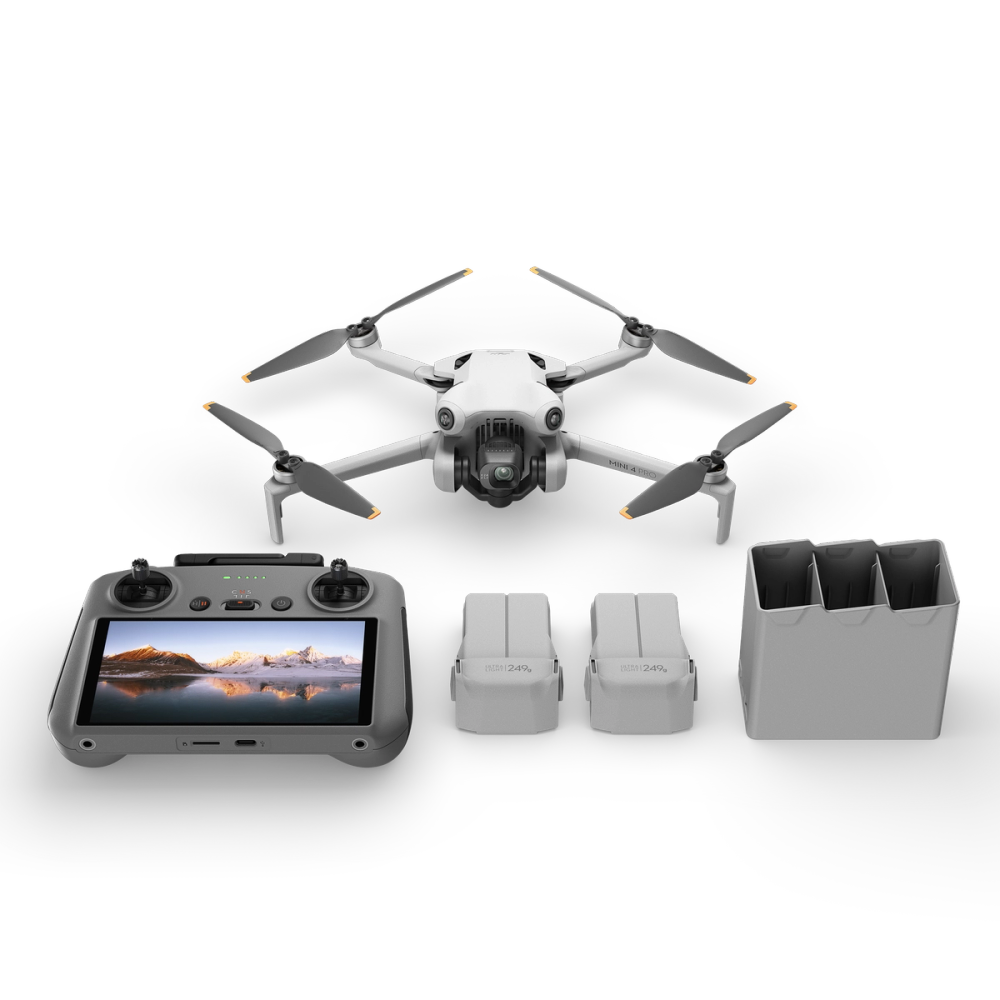
• DJI Mini 4 Pro RC 2 Fly More Combo: Includes the DJI RC 2 smart controller and a range of accessories, including three flight batteries, charging hub, and shoulder bag.
What are the differences between the micro drones, DJI Mini 4 Pro and DJI Mini 3 Pro?⌄
DJI Mini 4 Pro features comprehensive upgrades in its vision sensing system, imaging system, video transmission system, and intelligent features.
DJI Mini 4 Pro has an omnidirectional vision sensing system to achieve omnidirectional obstacle sensing. It uses a new image-processing platform and supports recording 4K/60fps HDR videos, with optional 10-bit D-Log M and HLG colour modes, elevating the multiple shooting specifications.
It is equipped with the DJI O4 FHD digital video transmission system and comes with the newly-upgraded ActiveTrack 360°, as well as Waypoint Flight, Advanced RTH, Cruise Control, and other intelligent features.
Is DJI Mini 4 Pro waterproof? Can I fly it in the rain?⌄
No, the DJI Mini 4 Pro is not waterproof. Avoid contact with water during use, as it may damage the device. If it rains during the flight, return and land as soon as possible, and wait until the aircraft is fully dry inside and out before using it again.
How do I turn on DJI Mini 4 Pro after unboxing?⌄
DJI Mini 4 Pro batteries are set to hibernation mode before shipping to ensure safe transportation. Before use, insert the battery into the aircraft or charging hub, and connect the charger to charge and activate the battery. After activating the battery, press the power button once, and then press again and hold for two seconds to turn on the aircraft.
How do I activate DJI Mini 4 Pro with the DJI RC 2?⌄
When using DJI RC 2 for the first time, connect to the internet via Wi-Fi or a smartphone hotspot, and then follow the instructions in the DJI Fly app to activate the device. After activating DJI RC 2, connect it with DJI Mini 4 Pro via the DJI Fly app, and then follow the instructions in the app to activate the aircraft.
What app do I need to install before using DJI Mini 4 Pro?⌄
DJI Mini 4 Pro can only be used with the DJI Fly app. You can download the latest version of DJI Fly from the DJI Mini 4 Pro Downloads page on the official DJI website. If you use DJI RC 2 as the remote controller, it comes with the pre-installed DJI Fly app.
How do I update the firmware of DJI Mini 4 Pro?⌄
Connect the aircraft with the remote controller. The DJI Fly app will send you a prompt for firmware updates (if new firmware is available). Follow the instructions to update the firmware of the aircraft, remote controller, battery, and other modules.
What factors can lead to an update failure when updating DJI Mini 4 Pro firmware?⌄
The battery level of the aircraft or remote controller is below 20%. The aircraft or remote controller is powered off during an update. If this happens, restart the aircraft and remote controller, and try again. The network is disconnected during a firmware download Your smartphone interface is switched to other apps during a firmware download. The aircraft will restart multiple times during an update and automatically power off after completing the update.
Common questions
- Mini 5 Pro vs Mini 4 Pro - How does the Mini 5 Pro compare to the Mini 4 Pro?
- Is DJI Mini 4 Pro waterproof?
- What DJI Mini 3 Pro accessories can be used with DJI Mini 4 Pro?
- What DJI Mini 3 Pro accessories can be used with the DJI Mini 4 Pro?
- How is the DJI Mini 4 Pro camera better than the DJI Mini 3 Pro?
- How do I activate DJI Mini 4 Pro?