50-day return policy⌄
- Return within 50 days of purchase.
- Full refund for unopened, sealed, unactivated items.
- Opened products may still qualify if unused.
- For orders over £100, we can arrange your return via DPD or in-person drop-off.
Next-day delivery — order before 3pm⌄
- Order before 3pm Mon–Fri for next-working-day delivery (free over £99).
- UK Saturday delivery available on orders placed before 3pm Friday.
- After 3pm Friday — dispatched Monday.
- Some UK regions may need 2–3 working days.
Discounted options with main purchase⌄
- Bundle pricing on accessories, spares and training when bought together.
- Reduced rates on add-ons selected at checkout.
- Ask us for a tailored quote on multi-unit or fleet orders.
DJI Goggles N3
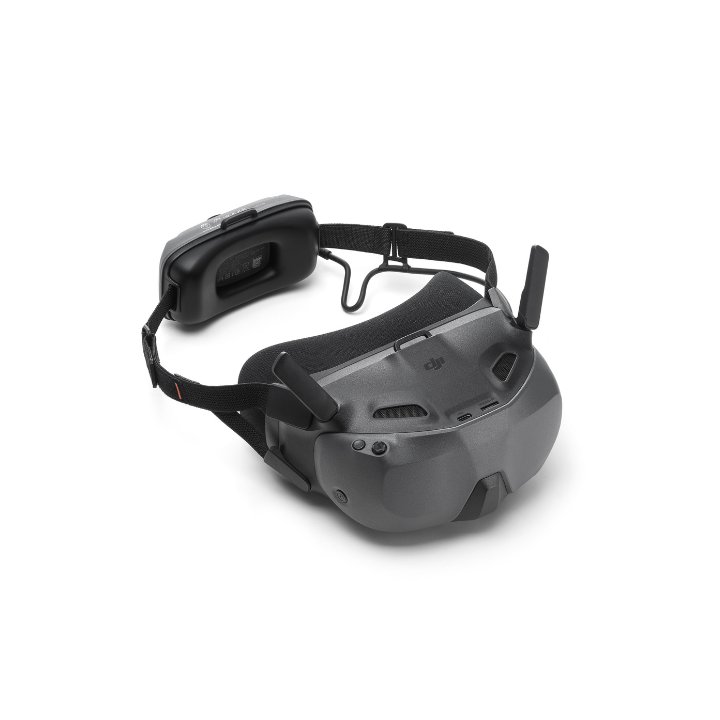
Experience next-level FPV with DJI Goggles N3, made for an immersive flight when paired with DJI drones.
Product dossier
Control Your Drone with Your Head & Wrist
Upgrade Your Perspective with DJI Goggles N3
- Pilot's Perspective:
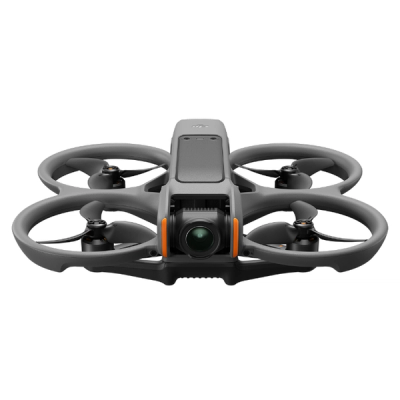
Experience the thrill of flight with DJI Goggles N3, paired with DJI Avata 360, DJI Neo 2, DJI Avata 2, DJI Neo, and DJI O4 Air Unit Pro, allowing you to feel like you're in the cockpit.
- Intuitive Control:
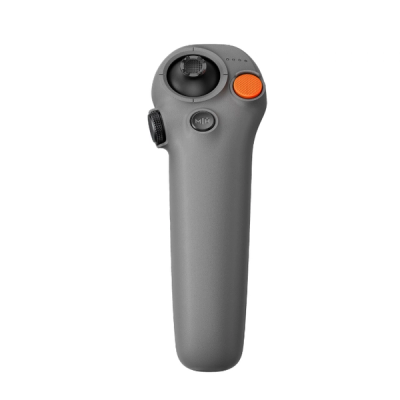
Activate head tracking to control your drone effortlessly with head or wrist movements, creating a seamless connection between you and your aircraft.
- Dynamic Aerial Acrobatics:
Unlock thrilling manoeuvres such as 360° flips and 180° drifts, immersing yourself in the exhilarating capabilities of the Neo.
- Easy ACRO Feature:
Simplify complex aerial tricks like Power Loop with a single push, eliminating the need for advanced manual controls and enhancing your flying experience.
Full specifications
Manuals & documents
Frequently asked questions
How can I connect this product to a smartphone or computer?⌄
The Goggles support wired connections to smartphones and computers using standard USB-C data cables or MFI-certified Lightning cables.
When connecting to a computer, enable the OTG Wired Connection to Computer option in the Goggles' menu under Settings > About to avoid recognition issues. Disable this feature when not in use to maintain flight performance. For smartphones, it is recommended to use a USB-C to USB-C cable. If the smartphone isn't recognised, enable OTG Wired Connection to Mobile Device in the same menu, and remember to disable it when not connected to ensure optimal flight performance.
Which aircraft and remote controllers are compatible with this product?⌄
DJI Goggles N3 are compatible with DJI Avata 360, DJI Neo 2, DJI Avata 2, DJI Neo, and DJI O4 Air Unit Pro.
What are the main differences of DJI Goggles N3 compared with other DJI goggles?⌄
The DJI Goggles N3 features a more spacious internal design than the DJI Goggles 3, accommodating personal glasses without requiring diopter adjustments or additional lenses. It has a single 1080p ultra-wide screen with a 54° field of view, reducing the likelihood of dizziness and enhancing immersion.
In comparison to the DJI Goggles Integra and DJI Goggles 2, the N3 incorporates DJI's latest O4 FHD video transmission technology, a ready-to-use design, and an extended battery life of up to 2.7 hours*. It also includes features such as AR Cursor** and One-Tap Defogging, and is compatible with more of DJI's latest drones and remote controllers for an improved user experience.
*The 2.7-hour maximum operating time was measured at 25°C, with screen brightness at 6, connected to the DJI Avata 2 with video transmission set to 1080p/100fps, Head Tracking off, and the battery fully charged without powering external devices.
**This feature requires the DJI RC Motion 3.
For more details about compatibility, visit our DJI Goggles drone compatibility guide.
Which DJI Goggles are best for me? DJI Goggles N3 Vs Goggles 3⌄
Check out our comparison table to learn which DJI Goggles are best for you: Feature DJI Goggles N3 DJI Goggles 3 Screen One 1080p Ultra-Wide LCD Screen FOV: 54° Dual Micro-OLED Screens FOV: 44° Wearability with Glasses Ready to Use With Glasses On Adjustable Diopters -6.0 D to +2.0 D Real View - Real View PiP Live Feed Sharing USB-C Wired Wi-Fi Wireless/USB-C Wired Max Operating Time Integrated Battery Design 2.7-Hour Max Operating Time Integrated Battery Design 3-Hour Max Operating Time DJI O4 Video Transmission Max Transmission Bitrate: 60 Mbps Max Transmission Bitrate: 60 Mbps (Avata 2) Compatible Models DJI Neo DJI Avata 2 DJI Neo DJI Avata 2 DJI Air 3 DJI Mini 4 Pro
| Feature | DJI Goggles N3 | DJI Goggles 3 |
|---|---|---|
| Screen | One 1080p Ultra-Wide LCD Screen FOV: 54° | Dual Micro-OLED Screens FOV: 44° |
| Wearability with Glasses | Ready to Use With Glasses On | Adjustable Diopters -6.0 D to +2.0 D |
| Real View | - | Real View PiP |
| Live Feed Sharing | USB-C Wired | Wi-Fi Wireless/USB-C Wired |
| Max Operating Time | Integrated Battery Design 2.7-Hour Max Operating Time | Integrated Battery Design 3-Hour Max Operating Time |
| DJI O4 Video Transmission | Max Transmission Bitrate: 60 Mbps | Max Transmission Bitrate: 60 Mbps (Avata 2) |
| Compatible Models | DJI Neo DJI Avata 2 | DJI Neo DJI Avata 2 DJI Air 3 DJI Mini 4 Pro |
How do I use this product with astigmatism, nearsightedness, or farsightedness?⌄
You can use DJI Goggles N3 directly while wearing personal glasses or contact lenses. If you are wearing personal glasses, gently open the foam padding of the goggles from both sides before putting them on. For detailed instructions, refer to the user manual.
Does this product support motion control or head tracking?⌄
Yes, but a DJI RC Motion 3 is required.
Does this product support AR Cursor?⌄
Yes, but a DJI RC Motion 3 is required.
Does this product support real-time live feed sharing?⌄
Yes. The steps are as follows:
1. Use a USB-C to USB-C data cable to connect the USB-C port of the goggles to your smartphone.
2. Open the DJI Fly app and tap GO Fly in the lower right corner to view the live feed on your smartphone.
Common questions
- Which DJI Goggles are best for me? DJI Goggles N3 Vs Goggles 3
- What are the main differences of DJI Goggles N3 compared with other DJI goggles?